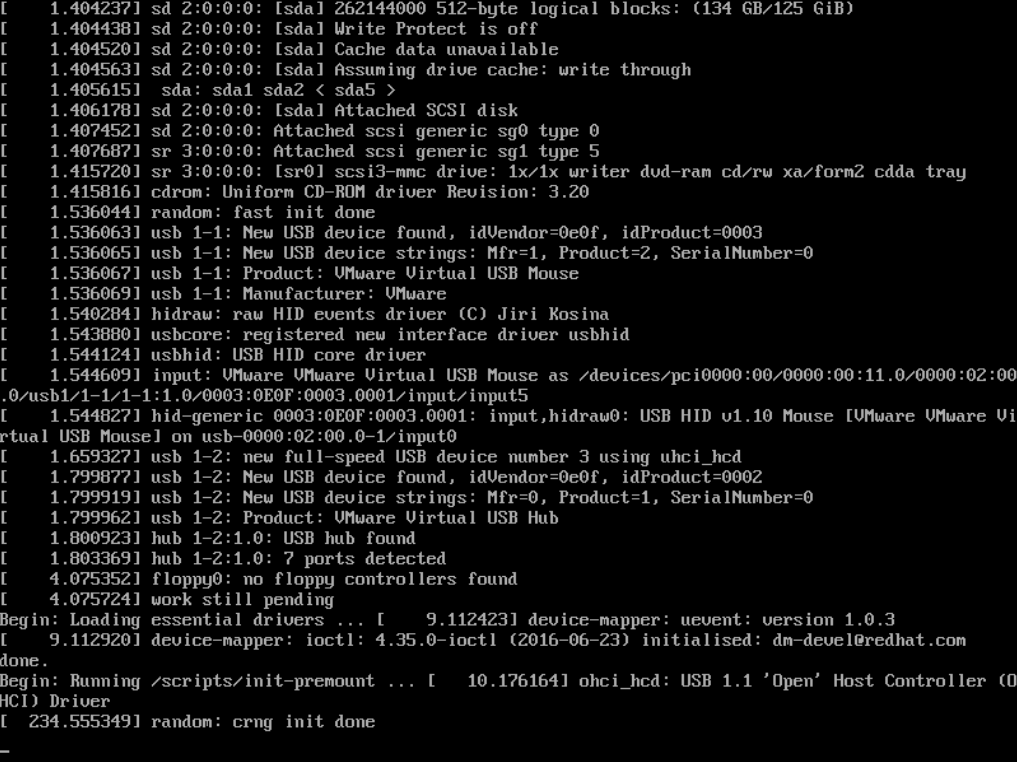
My server didn’t boot after a power failure, even when I go back to a previous snapshot.
Ifoolow the following steps,
Start the machine.
As soon as the “grub” boot menu appears (see attached screenshot “grub-main-menu.png” for what that should look like; it’s the smaller one of the two screenshots) hit one of the arrow keys on your keyboard. It doesn’t matter which one; what matters is that grub will stop the automatic boot process when you press any key.
Next make sure the first entry is still selected and press the “e” key (“e” for “edit entry”). A new screen should appear displaying the details of what grub will do with the entry. It should look similar to the attached “grub-edit-entry.png” (the larger of the two attached pictures).
Now navigate to the line starting with “linux …”. Please remove the strings “quiet”, “loglevel=0” and “splash” from this line. The result should look similar to the aforementioned “grub-edit-entry.png” where I’ve already removed those strings from the line.
Next boot this entry by pressing the F10 key. A list of text entries should be displayed, and the boot process should hang somewhere again.
Hopefully one of you can provide me a suggestion, how I can solve this issue!
Thanks!
Hi,
is this the whole output of your boot process?
Kind regards
crbble
November 28, 2017, 7:28am
3
Are you sure there is no hardware defect?
Sorry I forgot to close this post,
,Boot with verbose loglevel=8 debug=1 nosplash
as soon the boot process stoped, I run a fsck \dev\mapper/vg_ucs-root -y
reboot the system, and apply the noplash permanent by running ucr set grub/bootsplash=nosplash as root…
Thanks for the support!!