UCS 5: Portal and Management Interfaces
Overview
With the release of UCS 5, Univention introduced updated interfaces for system administration and user access. Administrators and users now have access to several distinct interfaces, each serving specific purposes. This article provides a clear overview of these interfaces, their features, and the differences in GUI experience compared to UCS 4.4.
Q&A
1. What are the main interfaces available in UCS 5?
UCS 5 provides three primary interfaces:
-
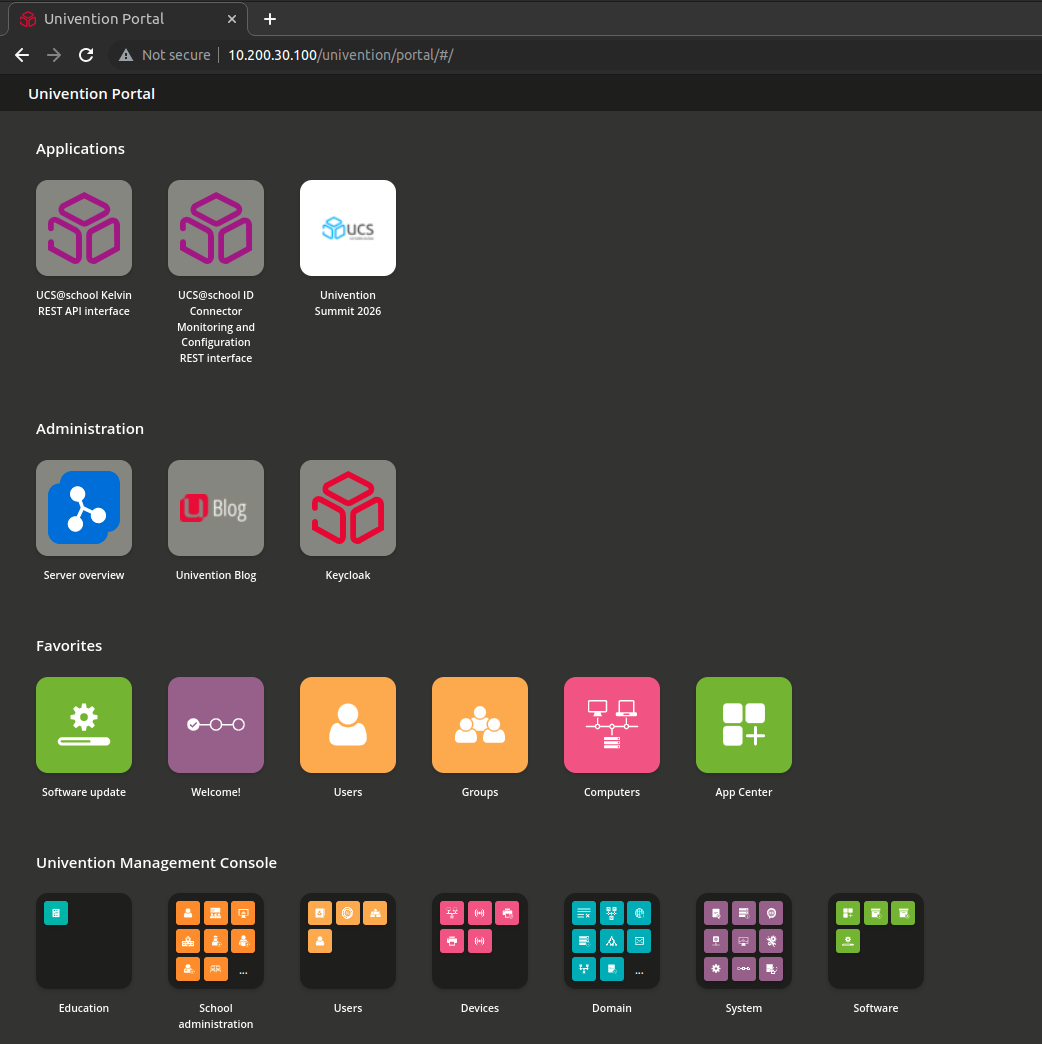
/univention/portal – User Portal
- This is the main portal for end users, introduced in UCS 5.0.x.
- Features a tile-based interface (tiles/kacheln) for easy access to apps, web services, and organizational resources.
- Supports single sign-on (SSO) and role-based access to services.
-
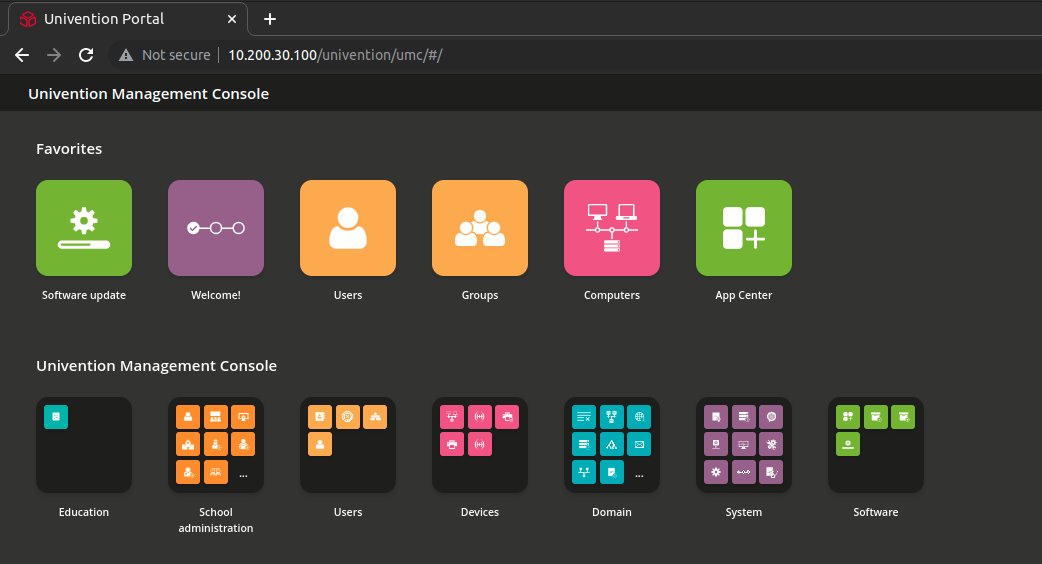
/univention/umc – Portal Admin UMC
- This is the administration portal designed for managing UCS from a web browser.
- Includes the familiar tile-based interface for accessing management modules.
- Primarily intended for administrators who prefer a modern, web-portal style layout.
- Provides access to user, group, and system management modules, as well as app configuration.
-
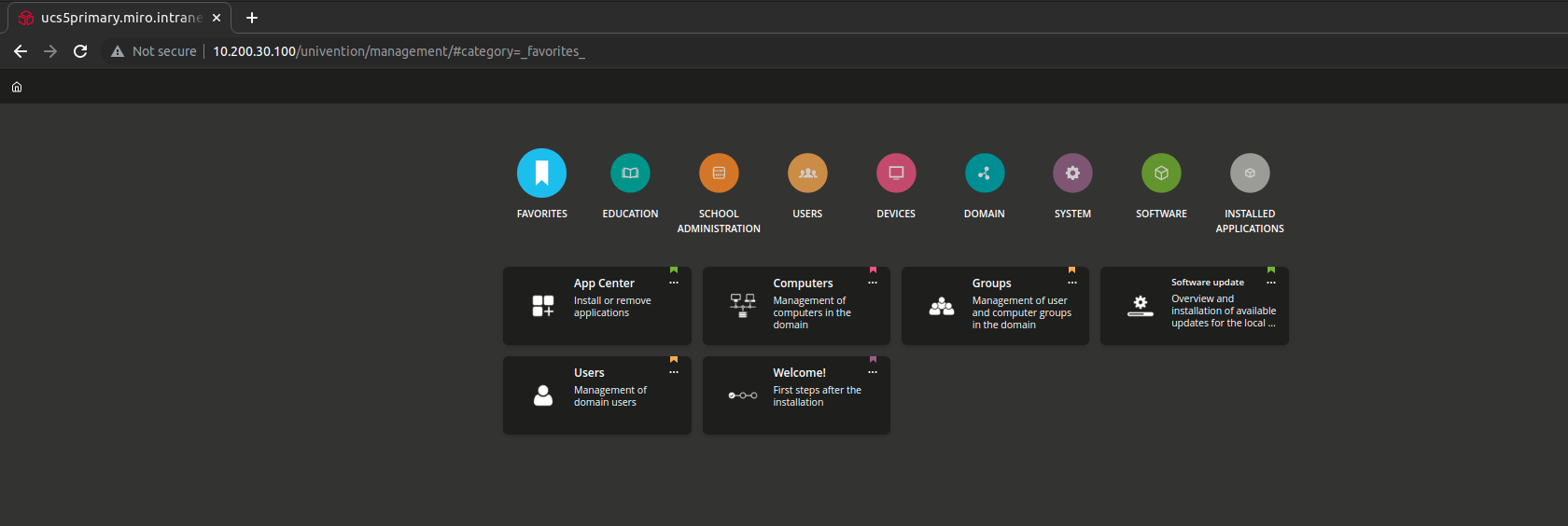
/univention/management – Legacy UMC
- This is the classic Univention Management Console interface from UCS 4.4.
- Offers a more traditional navigation structure with menus and detailed configuration options.
- Recommended for administrators who require deep system configuration or are more familiar with UCS 4.x workflows.
2. What are the main differences in the GUI between these interfaces?
| Interface | GUI Type | Target User | Features / Notes |
|---|---|---|---|
| /univention/portal | Tile-based (Kacheln) | End Users | Easy access to apps, services, SSO, simplified layout for non-admin users |
| /univention/umc | Tile-based Administration | Administrators | Modernized admin portal, combines portal-style navigation with full module access |
| /univention/management | Classic UMC | Administrators | Menu-based, detailed system management, legacy look and feel from UCS 4.4 |
Key GUI differences:
- Tiles vs. Menu: UCS 5 emphasizes a tile-based experience (
/univention/portaland/univention/umc) for easier navigation. The classic UMC (/univention/management) relies on a traditional menu-based structure. - Target audience: The portal is user-focused, the Portal Admin UMC balances usability with administrative functions, and the legacy UMC is intended for power users.
- Accessibility and modern look: UCS 5 portals are responsive, mobile-friendly, and provide a consistent design across devices. Legacy UMC is less flexible in terms of modern UI.
3. Can administrators still use the legacy UMC in UCS 5?
Yes. The legacy UMC (/univention/management) remains available in UCS 5 for compatibility and advanced administration tasks. It is especially useful for:
- Administrators familiar with UCS 4.4 workflows.
- Advanced system configuration not yet fully integrated into the tile-based admin portal.
- Accessing certain legacy modules or scripts.
See also: