Scenario
In this article, we will discuss best practices for deploying Nubus for Kubernetes. We will focus on two main strategies: Recreate Deployment and Rolling Deployment. Additionally, we will provide the associated scripts and configuration files to facilitate these deployment methods.
Recommendation
Recreate Deployment
What is a Recreate Deployment?
A Recreate Deployment involves completely stopping and deleting the existing version of any Pods before starting the new version. This approach can be useful in scenarios where a new installation is needed i.e. for a fresh deployment.
- Advantages: Simplicity and reproducible deployment.
- Disadvantages: Downtime and needs a lot resources during deployment.
Script: recreate_deployment.sh
Here is an example of a Bash script that performs a Recreate Deployment:
#!/bin/bash
set -u
set -e

# load variables
source variables

# delete all pods if found
kubectl delete namespace "$NAMESPACE_FOR_NUBUS" --ignore-not-found

# install new pods
helm upgrade --install "$RELEASE_NAME" oci://artifacts.software-univention.de/nubus/charts/nubus --version "$VERSION" --values custom_values.yaml --namespace "$NAMESPACE_FOR_NUBUS" --create-namespace
Rolling Deployment
What is a Rolling Deployment?
A Rolling Deployment allows for the gradual deployment of new versions of an application without incurring downtime. Old pods are replaced with new ones incrementally. This approach can be useful in scenarios where we just need an update to a new version of Nubus for Kubernetes or putting new things into a running installation like a custom.css file.
- Advantages: No downtime and minor effect on performance and resources.
- Disadvantages: Increased complexity and higher probability of errors during the update.
Script: rolling_deployment.sh
Here is an example of a Bash script that performs a Rolling Deployment:
#!/bin/bash
set -u
set -e

# load variables
source variables

# update pods
helm upgrade --namespace="$NAMESPACE_FOR_NUBUS" --values custom_values.yaml --version "$VERSION" --timeout 10m "$RELEASE_NAME" oci://artifacts.software-univention.de/nubus/charts/nubus
Configuration File: custom_values.yaml
The custom_values.yaml file contains the specific configurations for your deployment. See the Configuration Reference for a full list of possible options. Here is an example:
---
global:
  nubusDeployment: true
  ldap:
    baseDn: "dc=example,dc=dev"
    domainName: "my-nubus.example.dev"
  domain: "my-nubus.example.dev"
  ingressClass: "nginx"
  certManagerIssuer: "letsencrypt-prod-dns"
  secrets:
    masterPassword: "nubus"
Variables in variables
The variables file contains the variables used in the scripts. Not all variables are used in the example and serve as placeholders for later extensive expansion. Find the latest Nubus Version in the Nubus for Kubernetes - Release Notes. Here is an example:
#!/bin/bash
export NAMESPACE_FOR_NUBUS=my-nubus
export RELEASE_NAME=nubus
export VERSION=1.12.0

export NUBUS_HOSTNAME=my-nubus.example.dev
ADMINISTRATOR_PASSWORD=$(kubectl get secret nubus-nubus-credentials -n "$NAMESPACE_FOR_NUBUS" --template='{{.data.administrator_password}}' | base64 -d)
export ADMINISTRATOR_PASSWORD
Conclusion
Choosing between Recreate Deployment and Rolling Deployment depends on the specific requirements of your Deployment. While Recreate Deployments are straightforward, Rolling Deployment offer better availability and flexibility. The provided scripts and configuration files will help you implement these deployment strategies effectively.
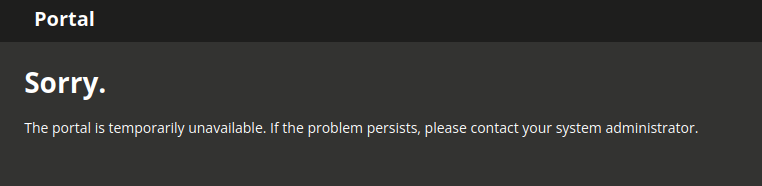
Please keep in mind, that in both cases, the portal can’t be used while a deployment is running, and users will see a hint for the time period:
Further reading
- Deployment - Nubus for Kubernetes - Operation Manual
- A deep dive into Kubernetes Deployment strategies
Questions?
If you’re not sure whether the recommendations will fit into your scenario, please ask your Professional Services contact person, or create a new topic referencing this article.