Problem
When creating users through a custom user template or through the regular users/user module in the Univention Management Console (UMC), the following error occurs:
The LDAP object could not be saved: LDAP Error: Constraint violation:
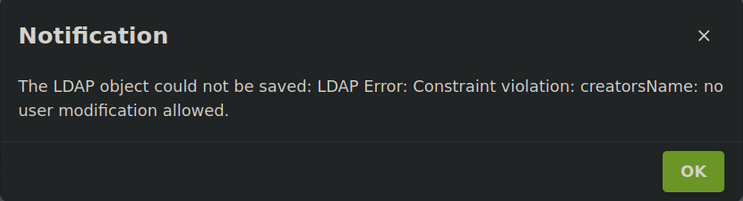
The exact error message may vary depending on which Extended Attributes have been configured in the environment.
Examples:
The LDAP object could not be saved: LDAP Error: Constraint violation: creatorsName: no user modification allowed.
The LDAP object could not be saved: Value may not change: key=entryUUID old=None new=ad03376a-e884-1040-8aa6-3000000
The LDAP object could not be saved: LDAP Error: Constraint violation: entryUUID: no user modification allowed
The LDAP object could not be saved: Value may not change: key=modifiersName old=None new=uid=<USERNAME>,cn=<ORG_UNIT>,cn=<ORG_UNIT>,cn=users,dc=<DOMAIN>,dc=<TLD>
The LDAP object could not be saved: LDAP Error: Constraint violation: modifiersName: no user modification allowed.
As a result, user creation fails both when using a custom user template and when creating users directly through the UMC.
Root Cause
User creation conflicts with custom Extended Attributes that were originally created to display LDAP operational attributes in the UMC.
With UCS 5.2-5 Erratum 427, these LDAP operational attributes are now provided as native UDM properties and are automatically displayed in:
Advanced Settings → Technical Information
This causes a conflict when the same attributes already exist as custom Extended Attributes.
As documented:
With UCS 5.2-5-errata427 (Security and bugfix errata for Univention Corporate Server / Log in to Univention Bugzilla) the operational LDAP attributes are added as regular UDM properties and are shown in the Advanced Settings → Technical information in UMC.
You are encouraged to remove any existing extended attributes for them, to not run into conflicts or irritation.
Source:
Investigation
The following UDM output was collected from the affected user template and shows the LDAP operational attributes that caused the conflict.
cn=Schulpsychologie-template
DN: cn=Schulpsychologie-template,cn=templates,cn=univention,dc=<DOMAIN>,dc=<TLD>
  DeregisteredThroughSelfService: None
  DeregistrationTimestamp: None
  PasswordRecoveryEmail: None
  PasswordRecoveryEmailVerified: None
  PasswordRecoveryMobile: None
  RegisteredThroughSelfService: None
  city: None
  country: None
  createTimestamp: 20260520104452Z
  creatorsName: uid=<USERNAME>,cn=<ORG_UNIT>,cn=<ORG_UNIT>,cn=users,dc=<DOMAIN>,dc=<TLD>
  description: None
...
  modifiersName: uid=<USERNAME>,cn=<ORG_UNIT>,cn=<ORG_UNIT>,cn=users,dc=<DOMAIN>,dc=<TLD>
  modifyTimestamp: 20260520104622Z
The corresponding changes introduced by Erratum 427 for UCS 5.2-5 are described as follows:
UniventionObjectIdentifier as well as some LDAP operation attributes¹ have been added to the Advanced Settings [tab] → Technical information [group] layout of UDM.
The UDM UMC module has been fixed, so that the univentionObjectIdentifier property which has a function as default values doesn’t break the layout.
Additionally the widget for representing date+times has been fixed, so the operation attribute dates can correctly shown and are also displayed as “disabled”.
Additionally, a side-feature for Bug #52185 was added to display a human-friendly version of the mapping in the repr() of univention.admin.mapping.mapping.
¹ The shown operational attributes are:
- DN
- entryUUID
- creatorsName
- createTimestamp
- modifiersName
- modifyTimestamp
- entryCSN
Source:
https://forge.univention.org/bugzilla/show_bug.cgi?id=59217#c6
Solution
Removing the conflicting Extended Attributes resolved the issue.
The following commands were used:
-
udm settings/extended_attribute remove --filter cn=entryDN -
udm settings/extended_attribute remove --filter cn=entryUUID -
udm settings/extended_attribute remove --filter cn=modifiersName -
udm settings/extended_attribute remove --filter cn=modifyTimestamp -
udm settings/extended_attribute remove --filter cn=creatorsName -
udm settings/extended_attribute remove --filter cn=createTimestamp
Afterwards, the UMC and UDM services were restarted:
systemctl restart univention-management-console-server.servicepkill cli-server
After removing the conflicting Extended Attributes and restarting the services, users could again be created successfully both through the Users / User module and through the affected user template.
References
https://errata.software-univention.de/#/?erratum=5.2x427