Problem
When using the SMB scan function on a Develop ineo 250i device against a member server, the scan fails. Scanning against a replica server works without any issues.
The smbd log at log level 3 shows the following error:
check_ntlm_password: Authentication for user [my_scan_user] -> [my_scan_user] FAILED with error NT_STATUS_NO_SUCH_USER
Auth: [SMB2,(null)] user []\[my_scan_user] at [...] status [NT_STATUS_NO_SUCH_USER]
Samba share configurations were compared and found to be identical, indicating the issue is not with the server-side share configuration.
Root Cause
The logs show that the domain part of the user account is empty.
A network trace using
tcpdump -i ens18 -s0 -w /tmp/scanner.pcap host <Scanner-IP> and port 445
and analysis with
tshark -r scanner.pcap -Y "smb2 || ntlmssp"
revealed:
SMB2 439 Session Setup Request, NTLMSSP_AUTH, User: \my_scan_user
TCP 66 445 → 51076 [ACK] Seq=814 Ack=899 Win=64512 Len=0 TSval=841735597 TSecr=718914610
SMB2 151 Session Setup Response
TCP 142 Session message [TCP segment of a reassembled PDU]
SMB2 116 Tree Connect Request Tree: \\10.10.15.106\my_scan_folder
TCP 66 445 → 51076 [ACK] Seq=899 Ack=1025 Win=64512 Len=0 TSval=841735609 TSecr=718914612
SMB2 143 Tree Connect Response, Error: STATUS_ACCESS_DENIED
SMB2 138 Session Logoff Request
SMB2 138 Session Logoff Response
Although the initial authentication seems successful, the “Tree Connect” request to the share returns STATUS_ACCESS_DENIED. Manual access tests via smbclient succeed, suggesting the issue is on the scanner side.
Solution
On the Develop ineo 250i scanner, configure the Default Domain Name field in the SMB scan settings:
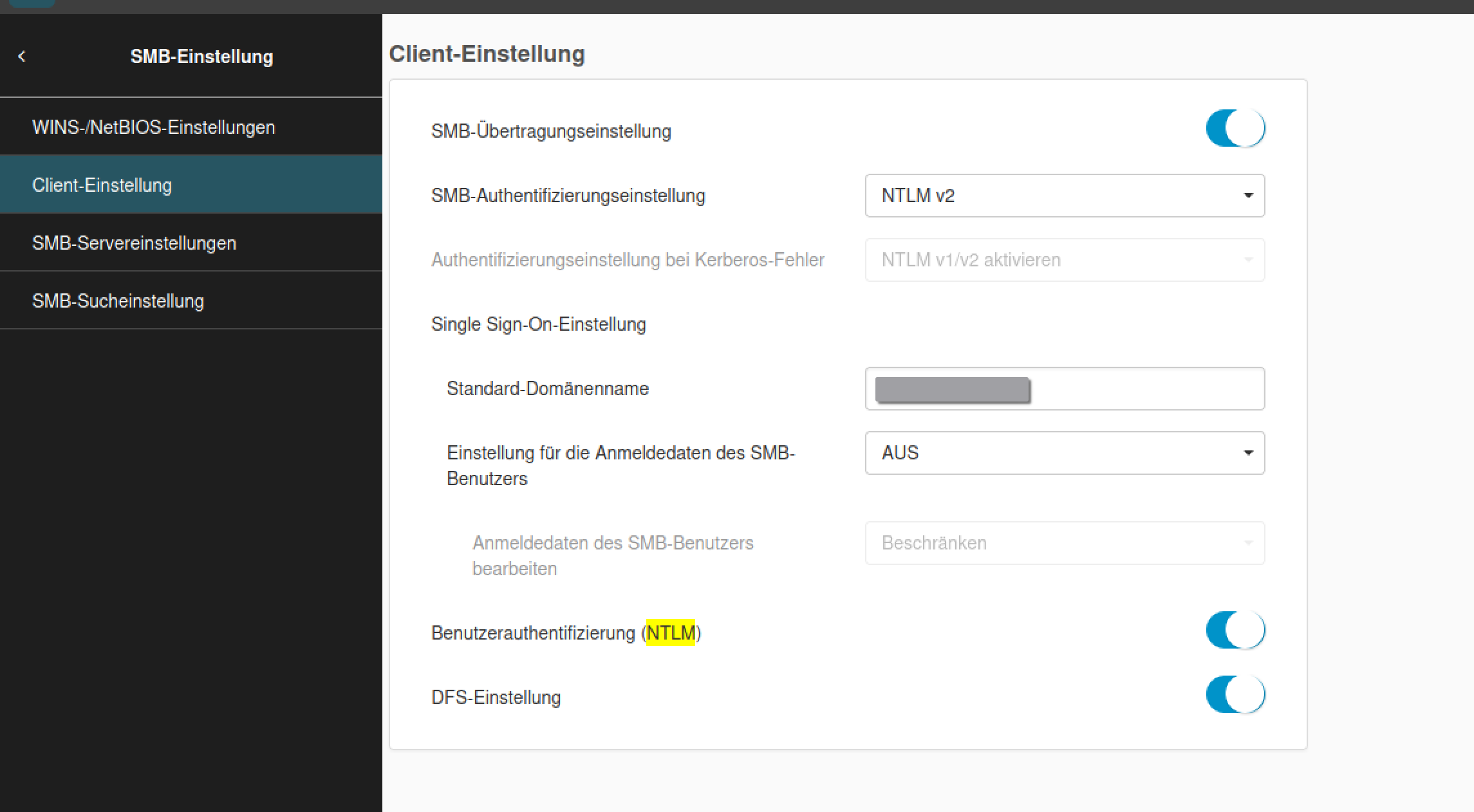
This ensures the member server receives the domain name during authentication, allowing the user account to access the SMB share. After this configuration, SMB scans against the member server were successful.