Problem
When managing users within the UCS@school administration interface, a specific school is not listed in the Users module. However, the same school can be found without issues when searching directly through the Schools module.
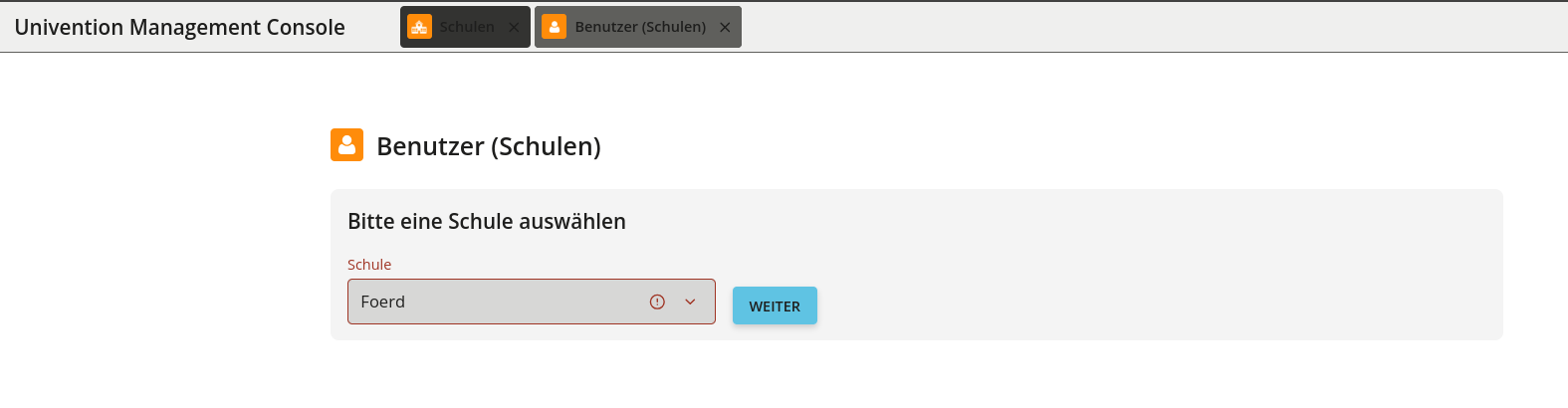
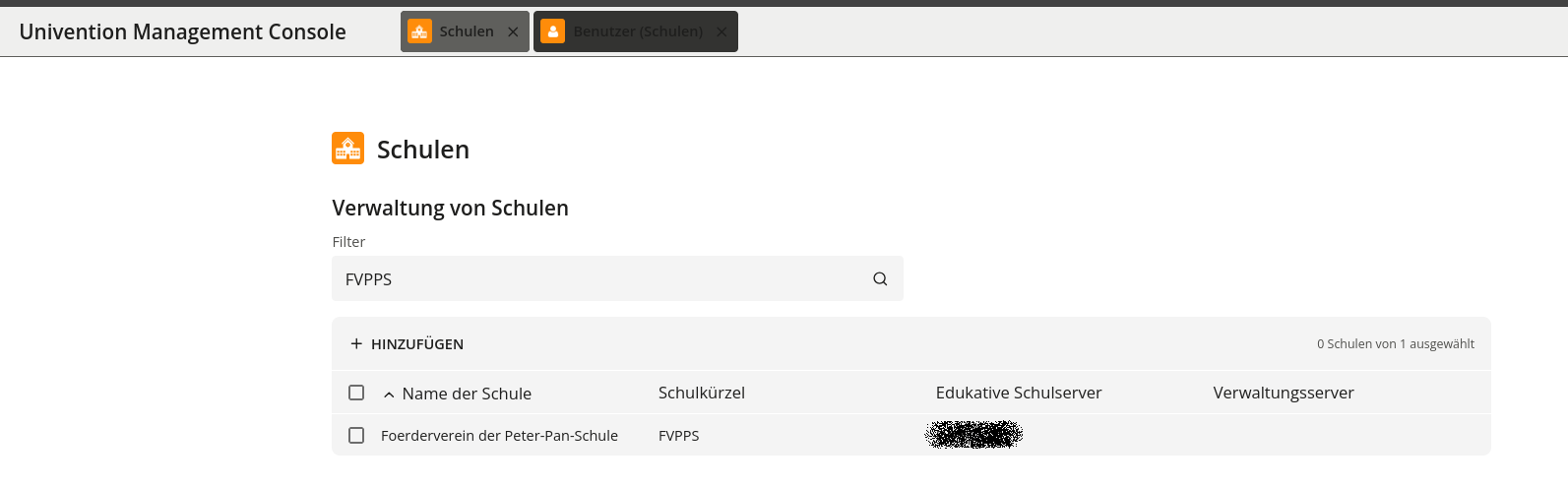
Root Cause
The list of schools displayed in UCS@school administration modules depends on the permissions and attributes of the currently logged-in account.
Normally, the built-in global Administrator account does not possess the ucsschoolSchool attribute. When this attribute is absent, UCS@school applies a fallback mechanism within School.from_binddn() on Primary and Backup Directory Nodes:
- The account has no
ucsschoolSchoolattribute. - The bind DN does not contain an
ou=component. - As a result, all local schools are returned and displayed (
School.get_all()).
In affected environments, the built-in Administrator account has been assigned one or more ucsschoolSchool values. Because ucsschoolSchool is present, the fallback mechanism is bypassed, and administration modules restrict the displayed schools strictly to those explicitly listed in the attribute. Any school missing from this attribute (such as the affected school) is subsequently hidden in the Users module.
root@school-node:~#  univention-ldapsearch -LLL uid=Administrator dn ucsschoolSchool ucsschoolRole objectclass
dn: uid=Administrator,cn=users,dc=univention,dc=de
objectClass: univentionSAMLEnabled
objectClass: univentionPerson
objectClass: univentionMail
objectClass: shadowAccount
objectClass: univentionFreeAttributes
objectClass: automount
objectClass: ucsschoolType
objectClass: univentionPWHistory
objectClass: univentionObject
objectClass: inetOrgPerson
objectClass: krb5Principal
objectClass: organizationalPerson
objectClass: univentionNetworkAccess
objectClass: posixAccount
objectClass: sambaSamAccount
objectClass: ucsschoolAdministrator
objectClass: top
objectClass: univentionPolicyReference
objectClass: person
objectClass: wekanUser
objectClass: krb5KDCEntry
ucsschoolSchool: ARGUS
ucsschoolSchool: ASG
ucsschoolSchool: AUTO
ucsschoolSchool: BB
ucsschoolSchool: BBS2
ucsschoolSchool: BBSAMT
ucsschoolSchool: BH
ucsschoolSchool: BIZWOB
ucsschoolSchool: BUNTEGS
ucsschoolSchool: C19
ucsschoolSchool: CHS
ucsschoolSchool: DEMOSCHOOL
ucsschoolSchool: DP42
ucsschoolSchool: FOEGE
ucsschoolSchool: FSFOBI
ucsschoolSchool: FVSPRI
ucsschoolSchool: FVSSEK
ucsschoolSchool: GB01
<skip>
Investigation
Technical Details
The method School.from_binddn() first reads the ucsschoolSchool attribute of the logged-in account user_schools = lo.getAttr(lo.binddn, "ucsschoolSchool") if values are found, only those schools are returned. The fallback to all schools is used only if no values are present and the bind DN does not contain an OU.
You can verify whether the built-in Administrator account contains school restriction attributes by running the following LDAP search on a directory node:
univention-ldapsearch -LLL \
  uid=Administrator \
  dn ucsschoolSchool ucsschoolRole objectClass
Check the output for entries containing:
objectClass: ucsschoolAdministratorucsschoolSchool: <School_Name>
Behavioral Differences Between Modules
- Users Module: Filters schools dynamically based on the logged-in account’s assigned
ucsschoolSchoolvalues. - Schools Module: Searches records directly and is not restricted by the logged-in account’s school attributes.
Solution
To restore the default global view for the built-in administrator, remove the ucsschoolSchool attribute(s) from the account unless it is intentionally being used as a school-restricted administrator.
Recommended Approach: Modify the account using supported UMC Users Modul to remove the schools and unset the School Administrator option, for this account.
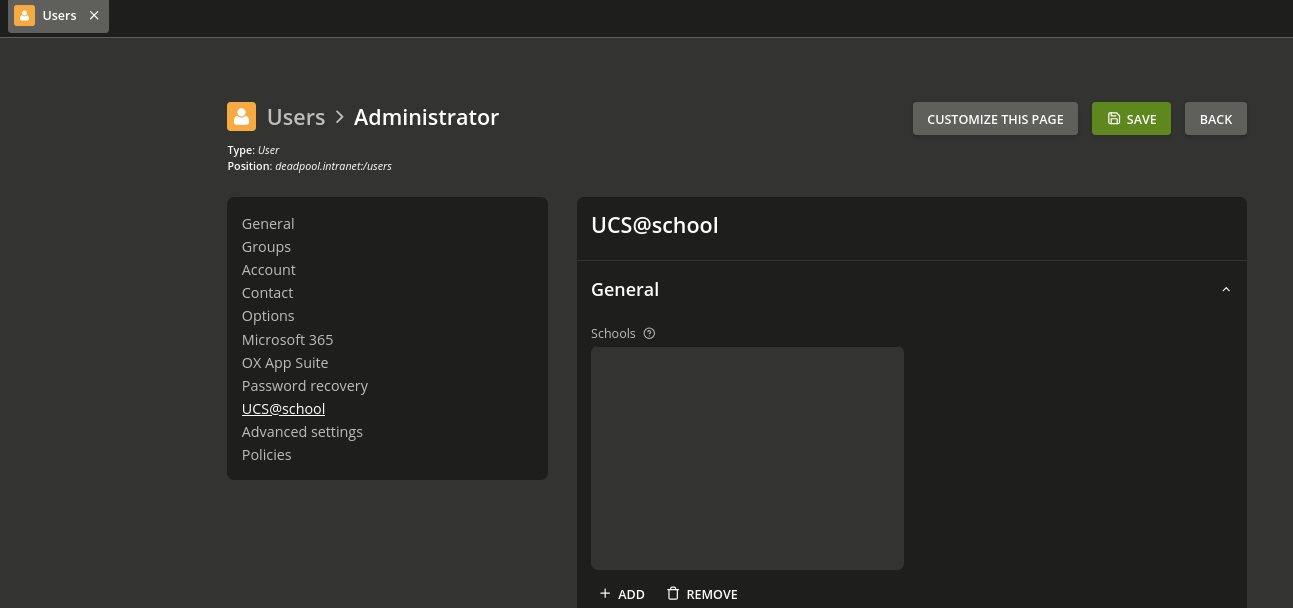
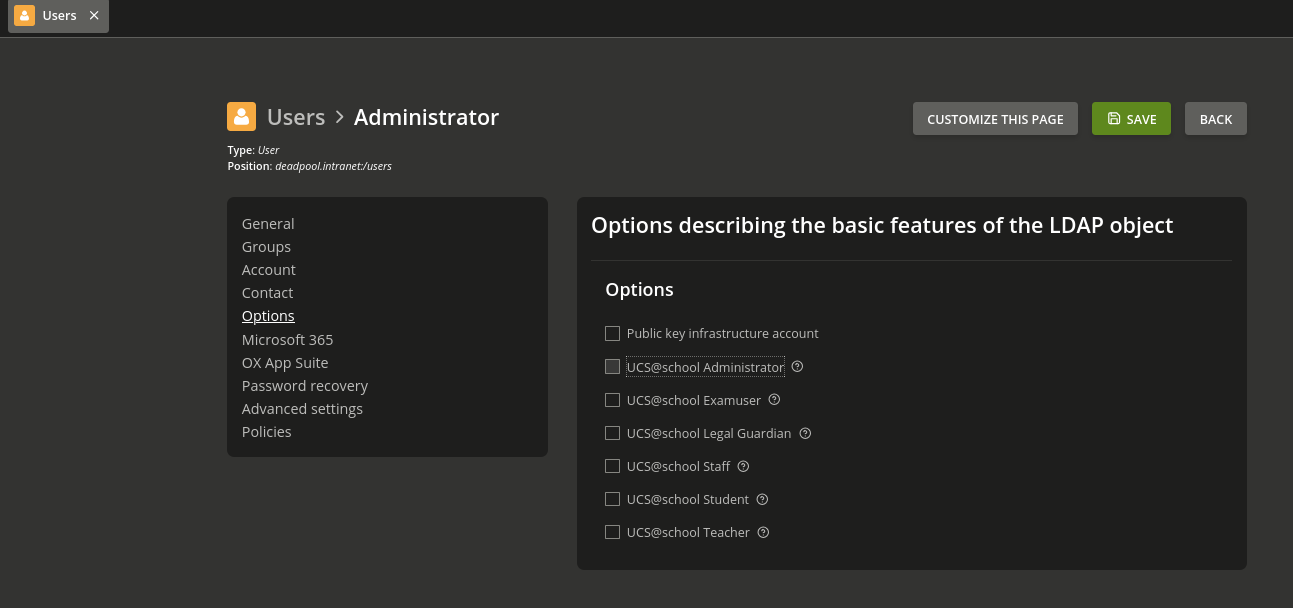
Once the ucsschoolSchool attributes are removed from the global Administrator account, the fallback mechanism applies again:
- No
ucsschoolSchoolattribute is present. - No
ou=is present in the bind DN. - All configured schools are correctly displayed across all administration modules.
Recommendations
- Use Dedicated Accounts: For school-specific administration, create separate UCS@school School Administrator accounts and assign only the necessary schools to those specific accounts.
- Avoid Global Account Restrictions: Do not assign complete or artificially extended lists of
ucsschoolSchoolvalues to the built-in globalAdministratoraccount.