Problem:
You try to edit your GPO, but with selecting the tab delegation, the mmc is terminating. With some luck you may get a glimpse and see
Ein Fehler in einem Snap-in wurde festgestellt. Es wird empfohlen, dass Sie die MMC herunterfahren und neu starten
An other symptom with the same root cause is:
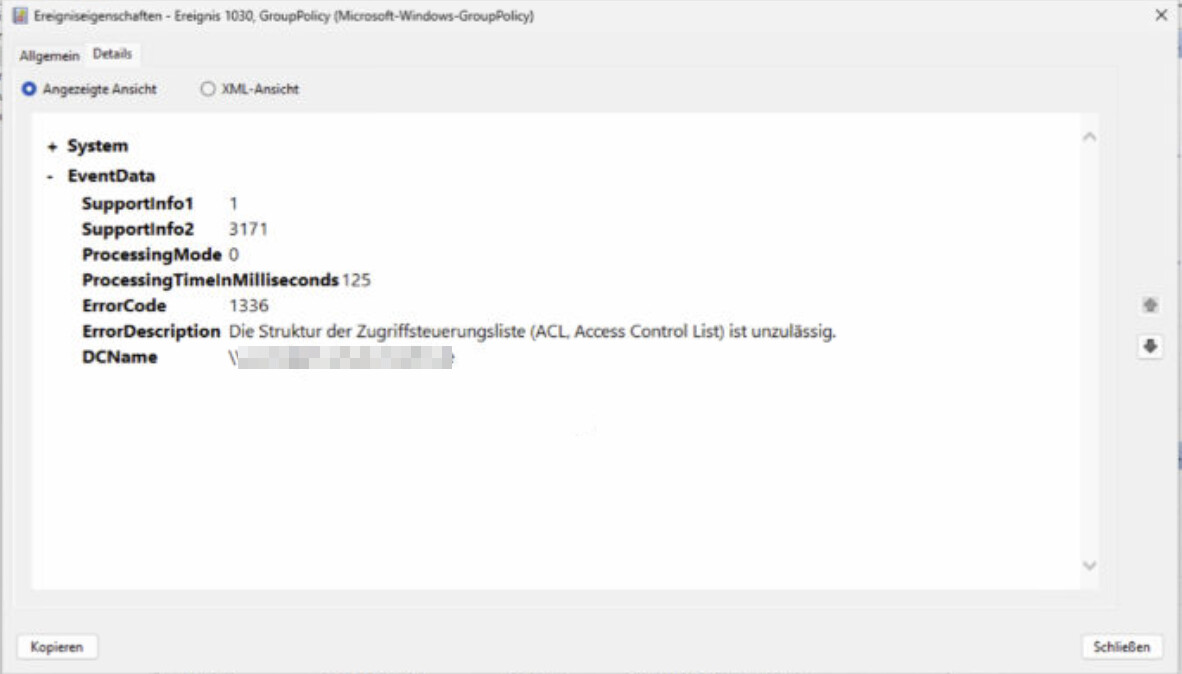
Clients no longer pull their GPOs. In the eventlog you find something like:
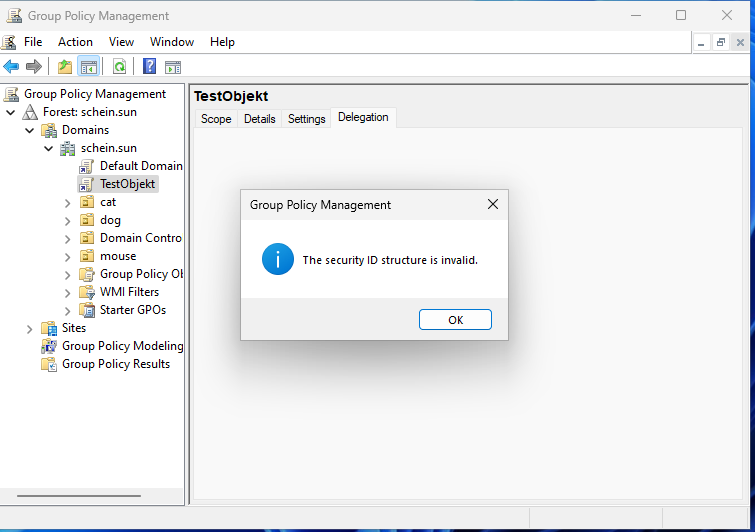
In the GPMC if it was not crashing you get in the delegation tab of the broken GPO:
Investigation:
Using Powershell with Get-GPPermission -Name "<GPOName>" -all
Get-GPPermission -Name "buero" -all
may return an entry like:
Trustee     :
TrusteeType : Unknown
Permission  : GpoRead
Inherited   : False
This typically indicates a broken or orphaned SID in the GPO’s Access Control List (ACL). Such entries can lead to issues like crashes in the Group Policy Management Console .
Cause
The issue is usually caused by a SID stored in the GPO ACL that no longer resolves to an existing object in Active Directory. Or could be an old short SID, which is now better checked with new samba versions.
Common causes include:
- Deleted users or groups that previously had permissions
- Domain migrations or SID mismatches
- Manual ACL modifications (e.g., via scripts or LDAP tools)
- Inconsistent synchronization between AD and SYSVOL
How to Identify the Broken SID
Method 1: Using PowerShell
Retrieve the GPO and inspect its ACL:
$gpo = Get-GPO -Name "buero"
$path = "AD:$($gpo.Path)"
(Get-Acl $path).Access
Look for entries where the IdentityReference appears as a raw SID, for example:
S-1-5-21-XXXXXXXXX-XXXXXXXXX-XXXXXXXXX-1234
These entries typically cannot be resolved and correspond to the TrusteeType: Unknown output.
Method 2: Direct LDAP Query
Query the GPO object in Active Directory:
ldbsearch -H /var/lib/samba/private/sam.ldb "CN={GUID}" nTSecurityDescriptor
Inspect the ntSecurityDescriptor for unresolved SIDs.
Solution
Remove using ADSI Edit
- Open ADSI Edit
- Connect to the Default Naming Context
- Navigate to:
CN=Policies,CN=System,DC=example,DC=com
- Locate the GPO object:
CN={GUID}
- Open Properties → Security → Advanced
- Identify entries with unknown SIDs
- Remove the invalid entries manually
This method is often more reliable, especially in cases where PowerShell or GPMC encounters issues.
Remove using ldbedit
You can also edit the ntSecurityDescriptor from your ucs terminal, but than you need to know what you do!
Additional Notes
- The issue affects the GPO object in Active Directory (GPC) , not the SYSVOL files (GPT).
- Tools like
samba-tool ntaclonly modify SYSVOL permissions and do not affect the AD ACL. - It is recommended to verify consistency between AD and SYSVOL permissions after cleanup.
Conclusion
Unknown trustees in GPO permissions are typically caused by orphaned SIDs and can lead to instability in management tools. Identifying and removing these entries—preferably via ADSI Edit—restores normal behavior and prevents further issues.
tags: “The security identification structure is invalid”