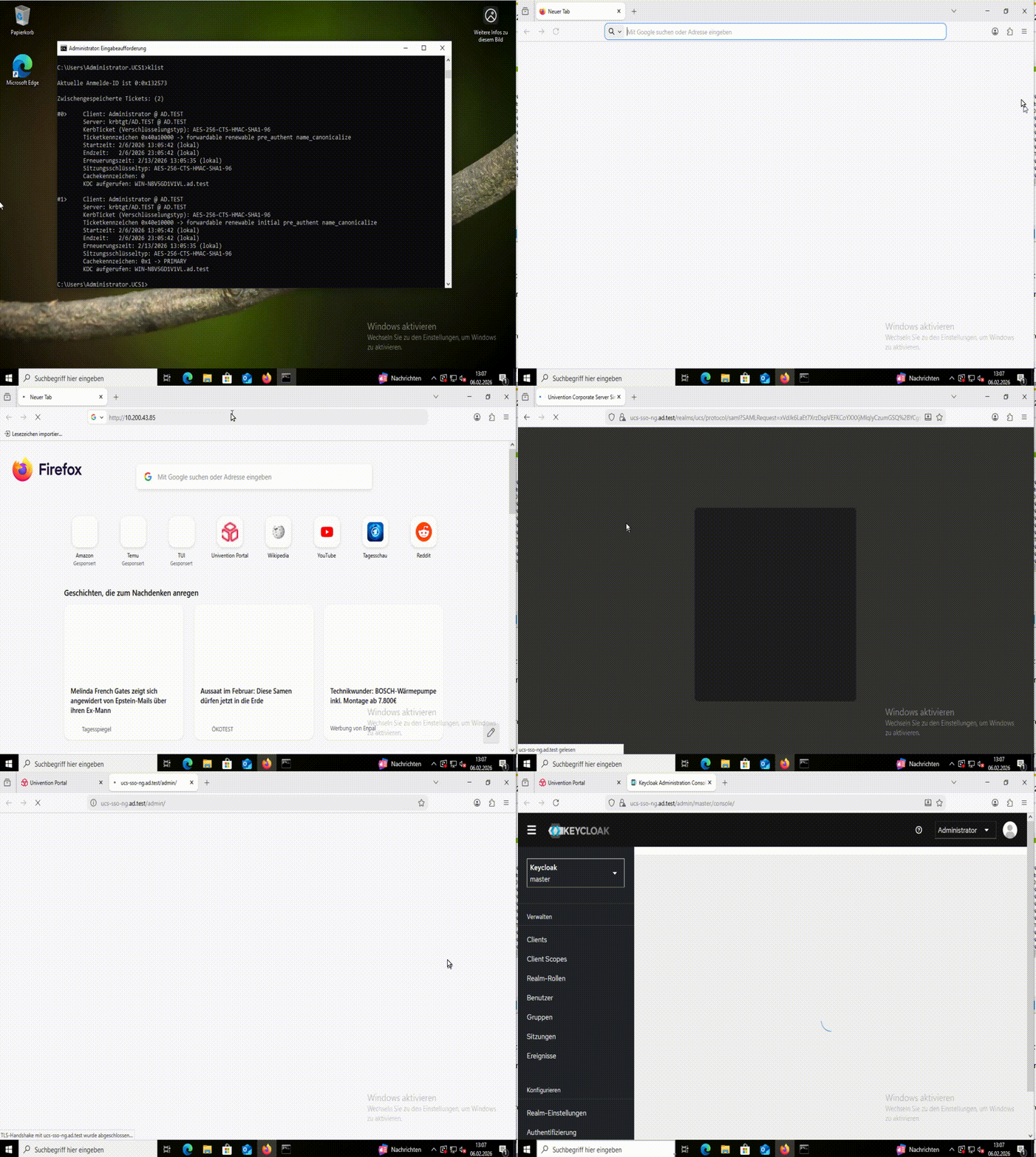
Basically you have to create a new user in you leading AD (name and password don’t really matter), add the SPN and then export the keytab of that user and move it to
/var/lib/univention-appcenter/apps/keycloak/conf/keycloak.keytab
In detail you should do the following:
Step: 1 Creating the user in AD
You get the needed information from our joinscript, but you have to know the passwort, you will need it to get the keytab from AD.
50keycloak joinscript:
echo "creating keycloak kerberos user"
spn_account_name="krbkeycloak"
servicePrincipalName="HTTP/$keycloak_server_sso_fqdn"
servicePrincipal="$servicePrincipalName"'@'"$kerberos_realm"
keytab_path="/var/lib/univention-appcenter/apps/keycloak/conf/keycloak.keytab"
user_exists=$(univention-ldapsearch -LLL uid="$spn_account_name" 1.1)

if [ -n "$user_exists" ]; then
        echo "Kerberos Service Principal already exists: $user_exists.\nSkipping user creation"
else
        krb_password="$(makepasswd --chars 20)"
        udm users/user create "$@" --ignore_exists \
                --position "cn=users,$ldap_base" \
                --set username="$spn_account_name" \
                --set lastname="keycloak" \
                --set password="$krb_password" \
                --append objectFlag=hidden || die

fi
Step: 2
Adding the SPN:
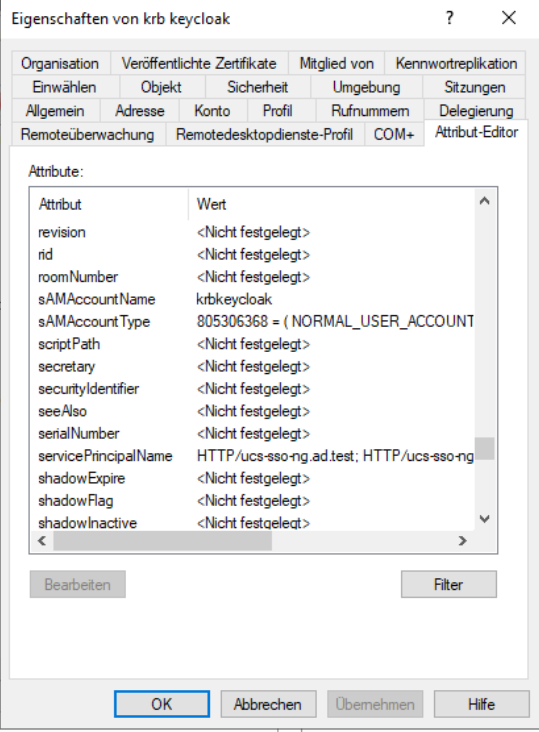
Should look like this:
univention-adsearch samaccountName=krbkeycloak
# record 1
dn: CN=krb keycloak,CN=Users,DC=ad,DC=test
objectClass: top
objectClass: person
objectClass: organizationalPerson
objectClass: user
cn: krb keycloak
sn: keycloak
givenName: krb
distinguishedName: CN=krb keycloak,CN=Users,DC=ad,DC=test
instanceType: 4
whenCreated: 20260204150839.0Z
whenChanged: 20260206095955.0Z
displayName: krb keycloak
uSNCreated: 432963
uSNChanged: 439955
name: krb keycloak
objectGUID: 84d680ac-5e06-42b4-ba69-ff8b41b8e59a
userAccountControl: 66048
badPwdCount: 0
codePage: 0
countryCode: 0
badPasswordTime: 0
lastLogoff: 0
lastLogon: 0
pwdLastSet: 134148455858675687
primaryGroupID: 513
objectSid: S-1-5-21-3550983502-1716035267-1031089948-1118
accountExpires: 9223372036854775807
logonCount: 0
sAMAccountName: krbkeycloak
sAMAccountType: 805306368
userPrincipalName: krbkeycloak@AD.TEST
servicePrincipalName: HTTP/ucs-sso-ng.ad.test
servicePrincipalName: HTTP/ucs-sso-ng
objectCategory: CN=Person,CN=Schema,CN=Configuration,DC=ad,DC=test
dSCorePropagationData: 16010101000000.0Z
msDS-RevealedDSAs: CN=WIN-N8V5GD1V1VL,OU=Domain Controllers,DC=ad,DC=test
msDS-RevealedDSAs: CN=WIN-N8V5GD1V1VL,OU=Domain Controllers,DC=ad,DC=test
msDS-RevealedDSAs: CN=WIN-N8V5GD1V1VL,OU=Domain Controllers,DC=ad,DC=test
msDS-RevealedDSAs: CN=WIN-N8V5GD1V1VL,OU=Domain Controllers,DC=ad,DC=test
msDS-RevealedDSAs: CN=WIN-N8V5GD1V1VL,OU=Domain Controllers,DC=ad,DC=test
msDS-SupportedEncryptionTypes: 24
Step: 3
Getting the keytab from AD
Using powershell:
ktpass /princ HTTP/ucs-sso-ng.ad.test@AD.TEST /mapuser krbkeycloak@ad.test /ptype KRB5_NT_PRINCIPAL /crypto AES256-SHA1 /pass <Password from krbkeycloak> /out ad-krbkeycloak.keytab
Step: 4
Preparing the Browser:
In Firefox
about:config
network.negotiate-auth.trusted-uris add here your keycloak/server/sso/fqdn

Step: 5
Testing: