How-to:
The Recycle Bin is a feature in UDM that provides a way to temporarily store deleted directory objects. The Recycle Bin allows administrators who accidentally removed UDM objects to restore these objects to their original state.
When activated through a Recycle Bin policy, UDM moves deleted objects to the Recycle Bin container before it removes them from the LDAP directory. UDM preserves the original object data along with metadata about the deletion. You can view all existing entries in the Recycle Bin within UMC, UDM, and the UDM HTTP REST API. You can restore these entries to their original state before the deletion. UDM purges entries in the Recycle Bin after a configurable retention time.
**Added in version 5.2-3-erratum-298:** Since UCS 5.2 erratum 298, UCS supports a Recycle Bin feature for user and group objects in UDM.
Technical Limitations
The implementation of the Recycle Bin has the following technical limitations:
- The Recycle Bin only supports the UDM types users/user and groups/group.
- The Recycle Bin is only available for Nubus for UCS.
Step 1. Activating the Recycle Bin
There are two methods available to work with the Recycle Bin:
- UMC GUI
- UDM via Shell
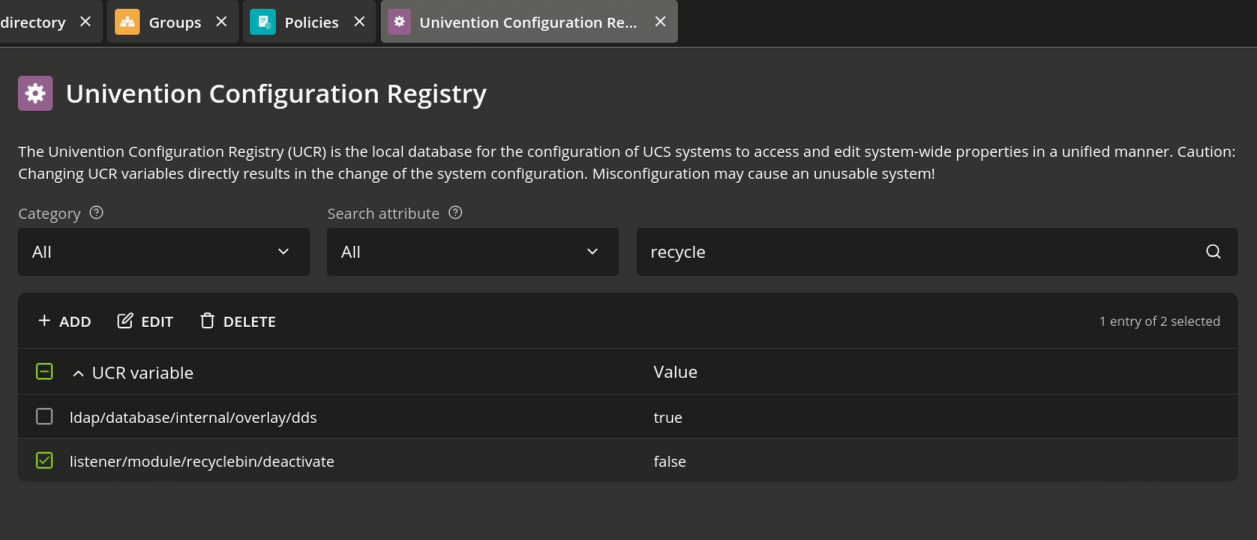
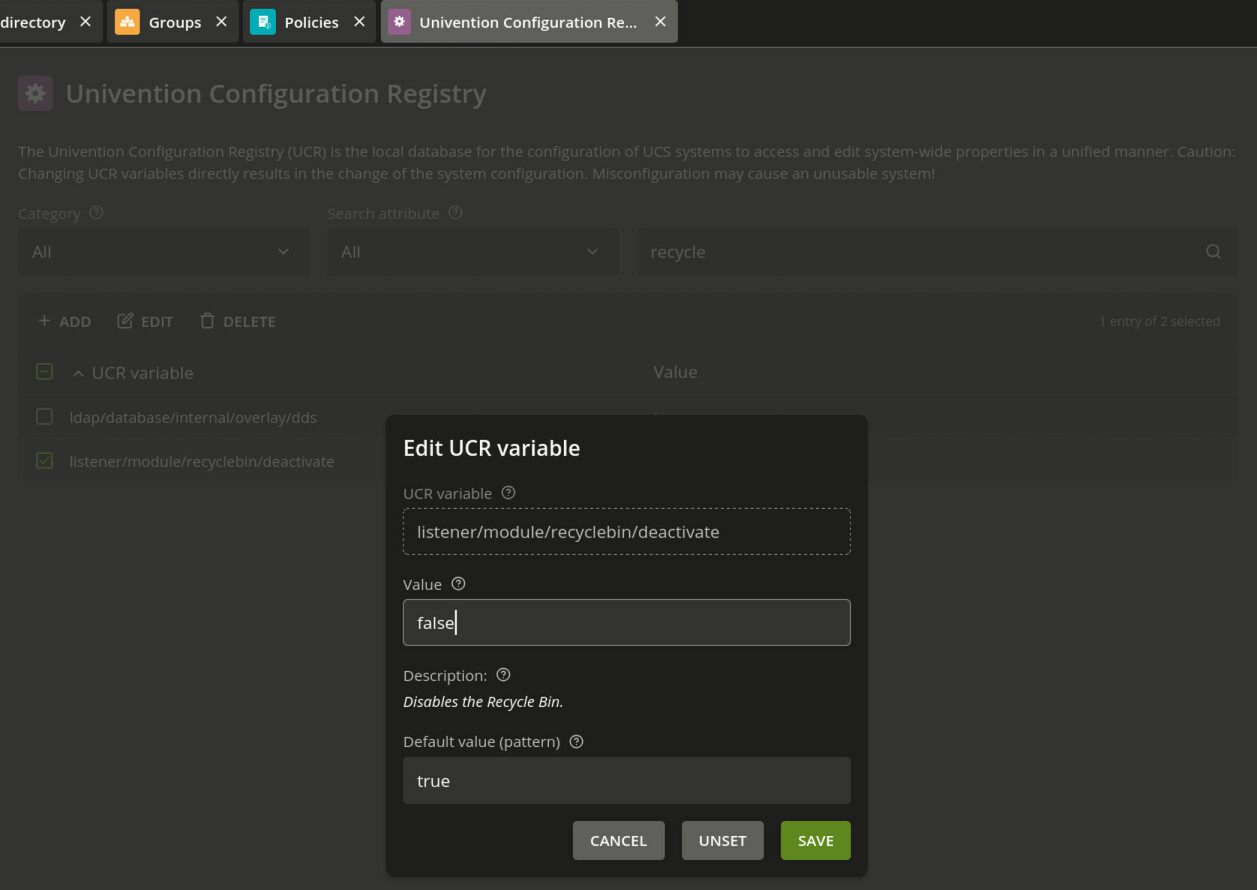
To activate the Recycle Bin, set the Univention Configuration Registry Variable listener/module/recyclebin/deactivate to false on the Primary Directory Node and all Backup Directory Nodes.
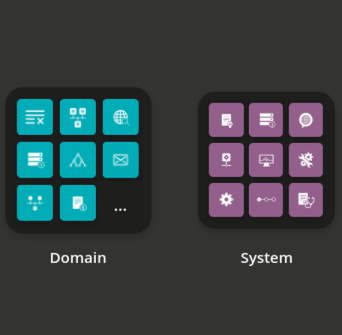
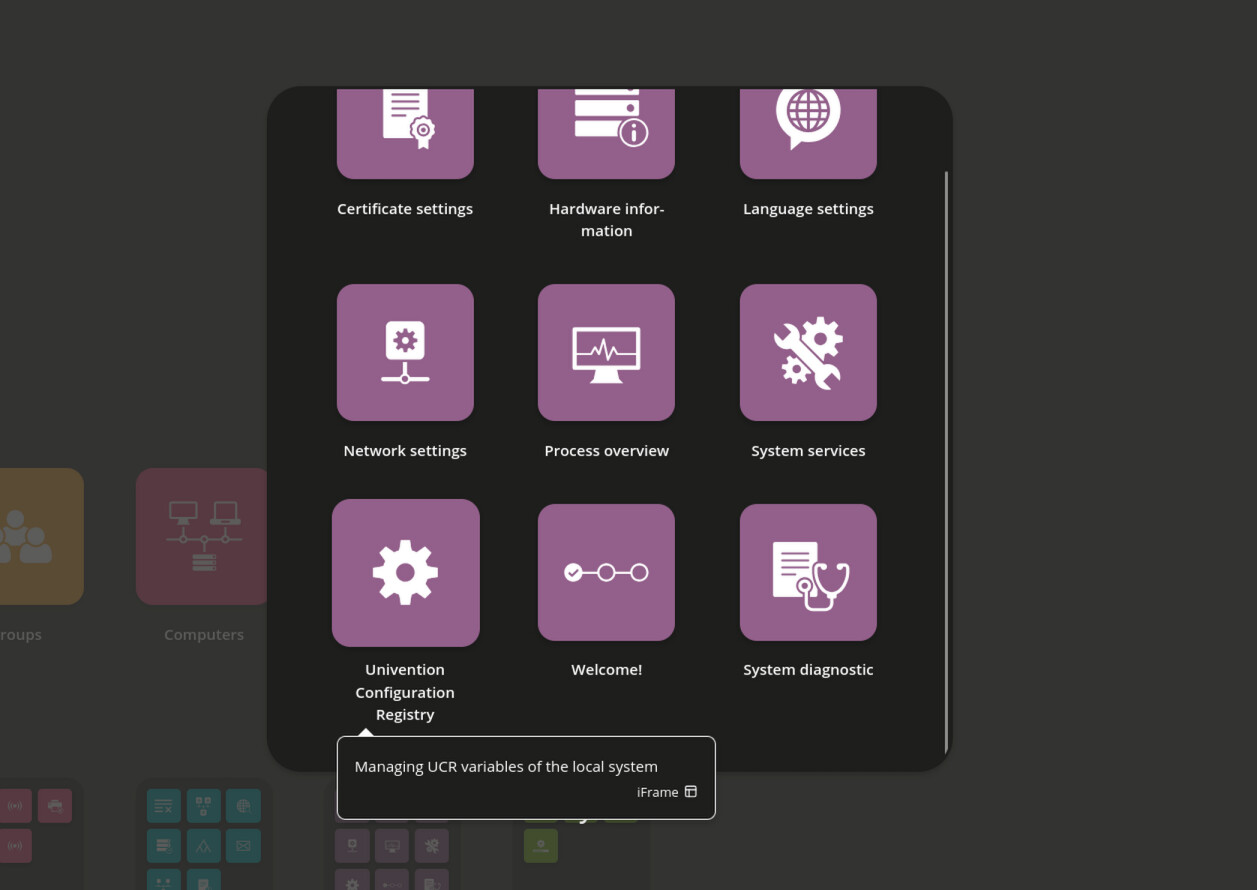
You will find that in UMC/System/Univention Configuration Registry. Search for recycle and edit the variable to set the value to false.
Shell command
ucr set listener/module/recyclebin/deactivate=false
Step 2. Restart the Directory Listener Service
Then, restart the Directory Listener on the Primary Directory Node.
UCM/System/System services/
Search for listener and choose the service, then you get more options.
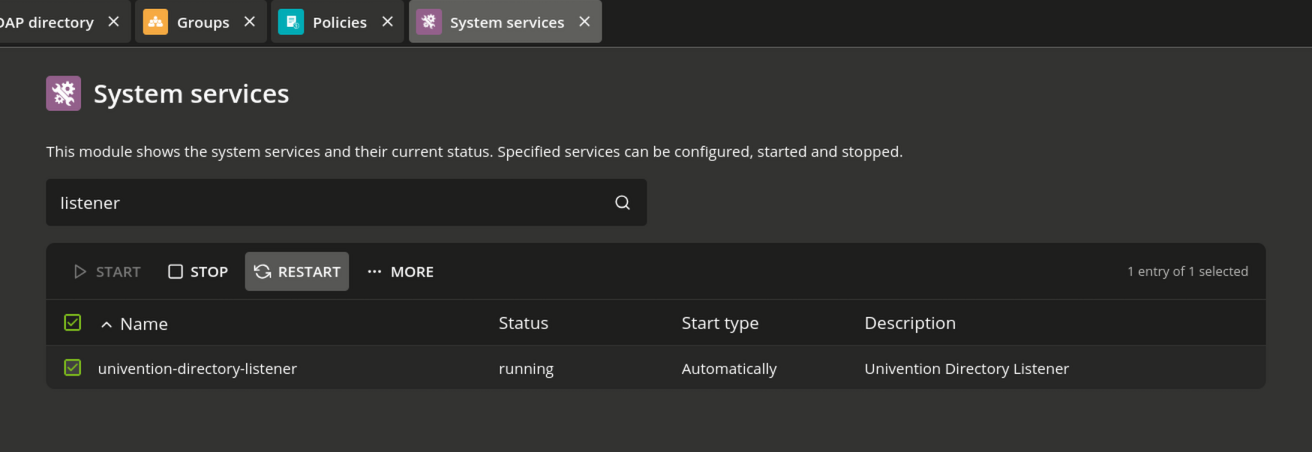
Restart the service by pressing on restart.
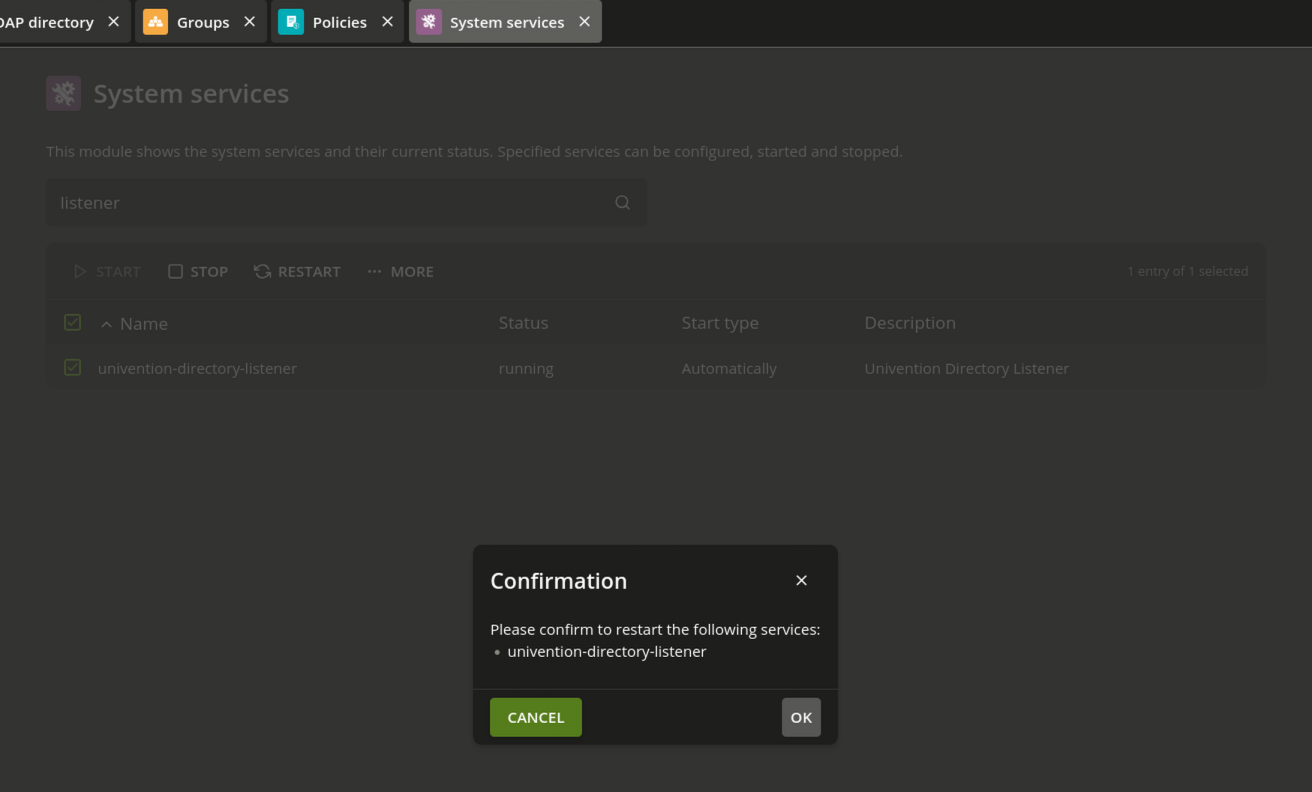
Shell command
systemctl restart univention-directory-listener
Step 3. Create Recycle Bin Policy
After you create a Recycle Bin policy and link it to a container object in the LDAP directory, the Recycle Bin configuration applies to all objects within the container. Before removing an object, UDM checks if such a policy applies and moves the object to the Recycle Bin.
The Recycle Bin policy has the following configuration properties:
Recycle Bin enabled
Defines whether the Recycle Bin is active for objects. Even if a container has a linked Recycle Bin policy, you can deactivate it.
UDM modules to recycle
Defines a list of UDM module types that the Recycle Bin policy applies to, such as users/user or groups/group.
To create the policy go to UMC/Domain/Policy.
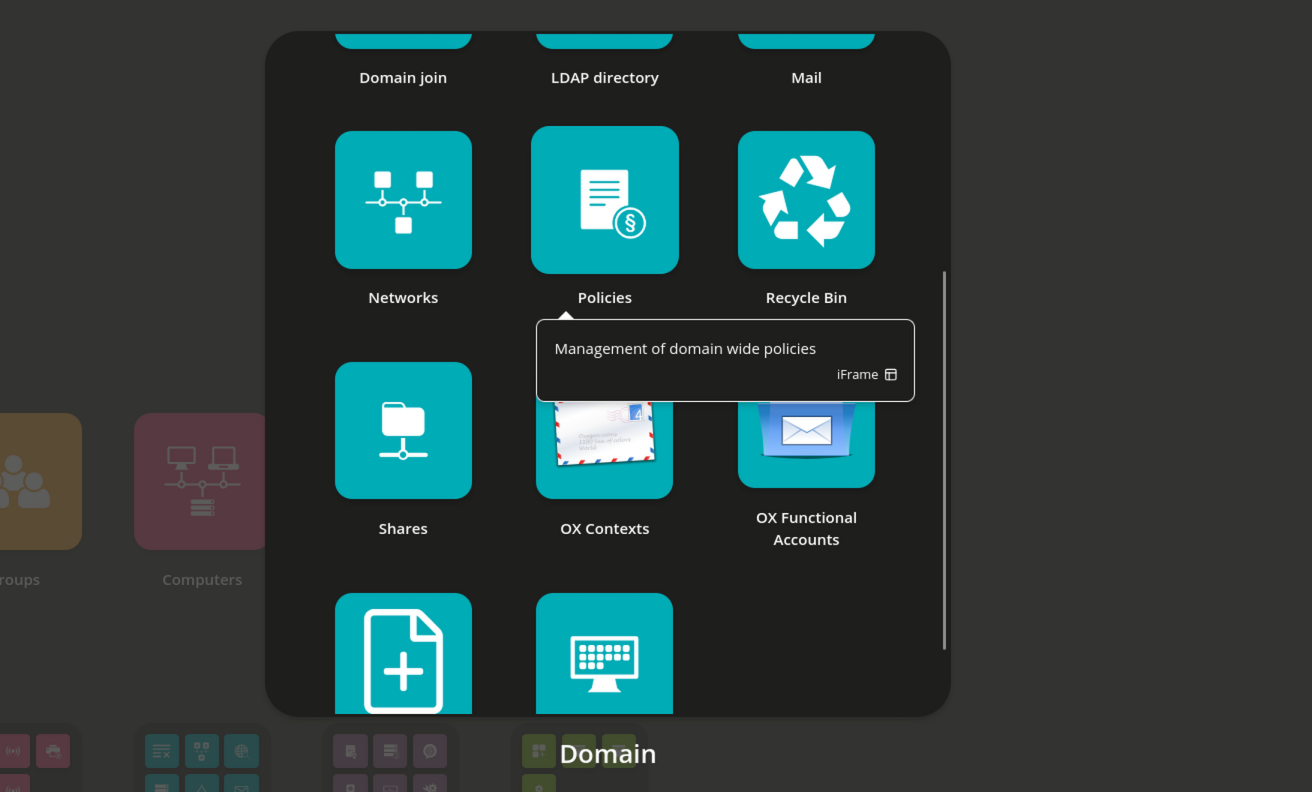
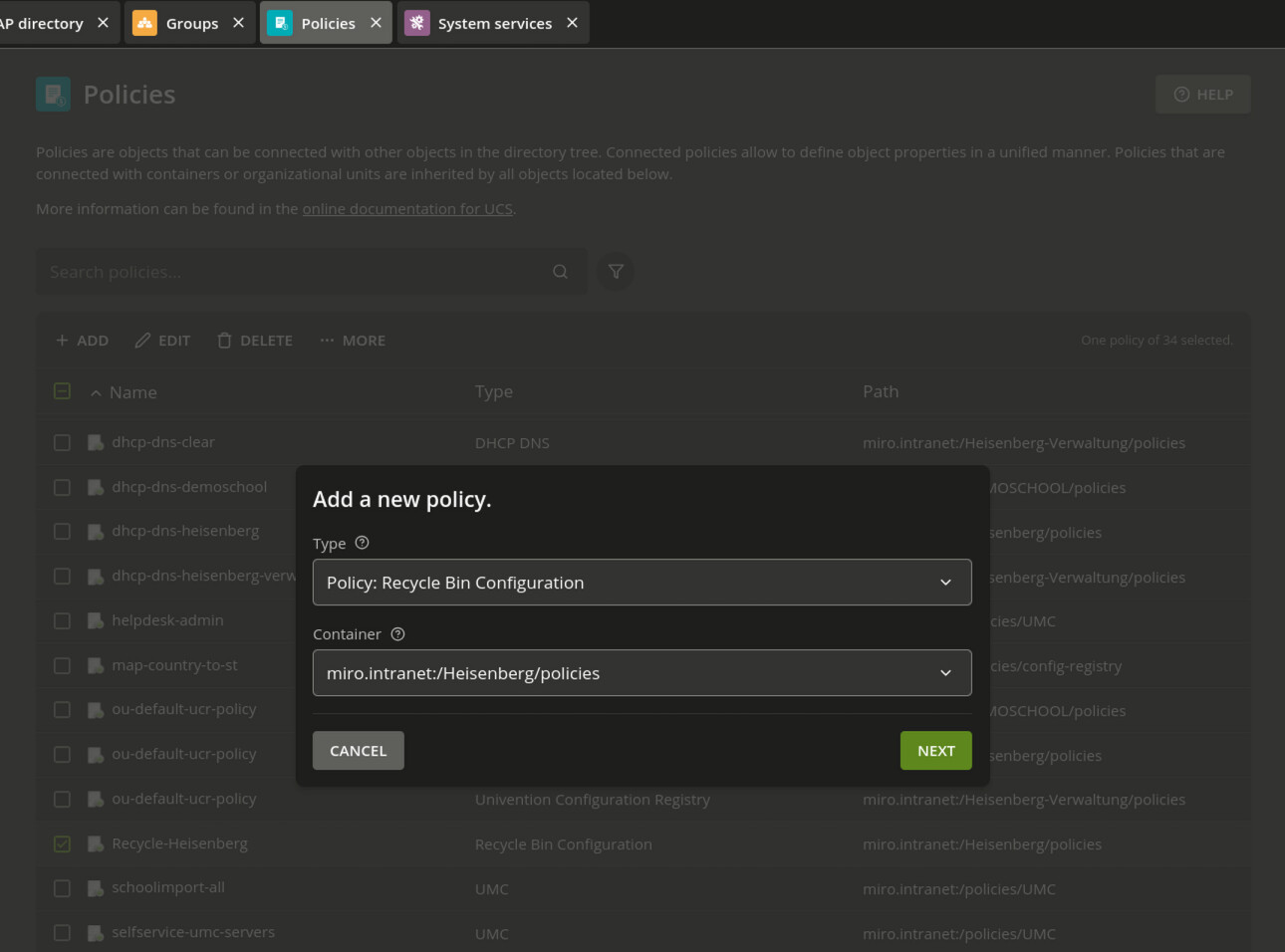
Then add a new Policy and choose the type Recycle Bin Configuration and the Position eg. Container, where the policy should be created.
Creating the Recycle Bin Policy via Shell (UDM)
The following command creates a Recycle Bin policy directly in the shell using udm:
udm policies/recyclebin create \
--position "cn=policies,ou=Heisenberg,$(ucr get ldap/base)" \
--set name="Recycle-Heisenberg" \
--set enabled="TRUE" \
--set retention_days=180 \
--set udm_modules="users/user" \
--set udm_modules="groups/group"
Verify the created policy:
udm policies/recyclebin list
DN: cn=Recycle-Heisenberg,cn=policies,ou=Heisenberg,dc=miro,dc=intranet
  enabled: TRUE
  ldapFilter: None
  name: Recycle-Heisenberg
  retention_days: 180
  udm_modules: users/user
  udm_modules: groups/group
  univentionObjectIdentifier: c166cb13-358d-4b84-8281-13d4ea0c0e25
Step 4. Assigning the Policy via UMC
After the policy has been created, it must be assigned to a container so that it takes effect. In this example, a school OU is used, as this policy is likely to be purposefully applied in a school environment. Any other kind of container, such as cn=groups or cn=users, may also be used.
In our case, we need the UMC/Domain/LDAP Directory
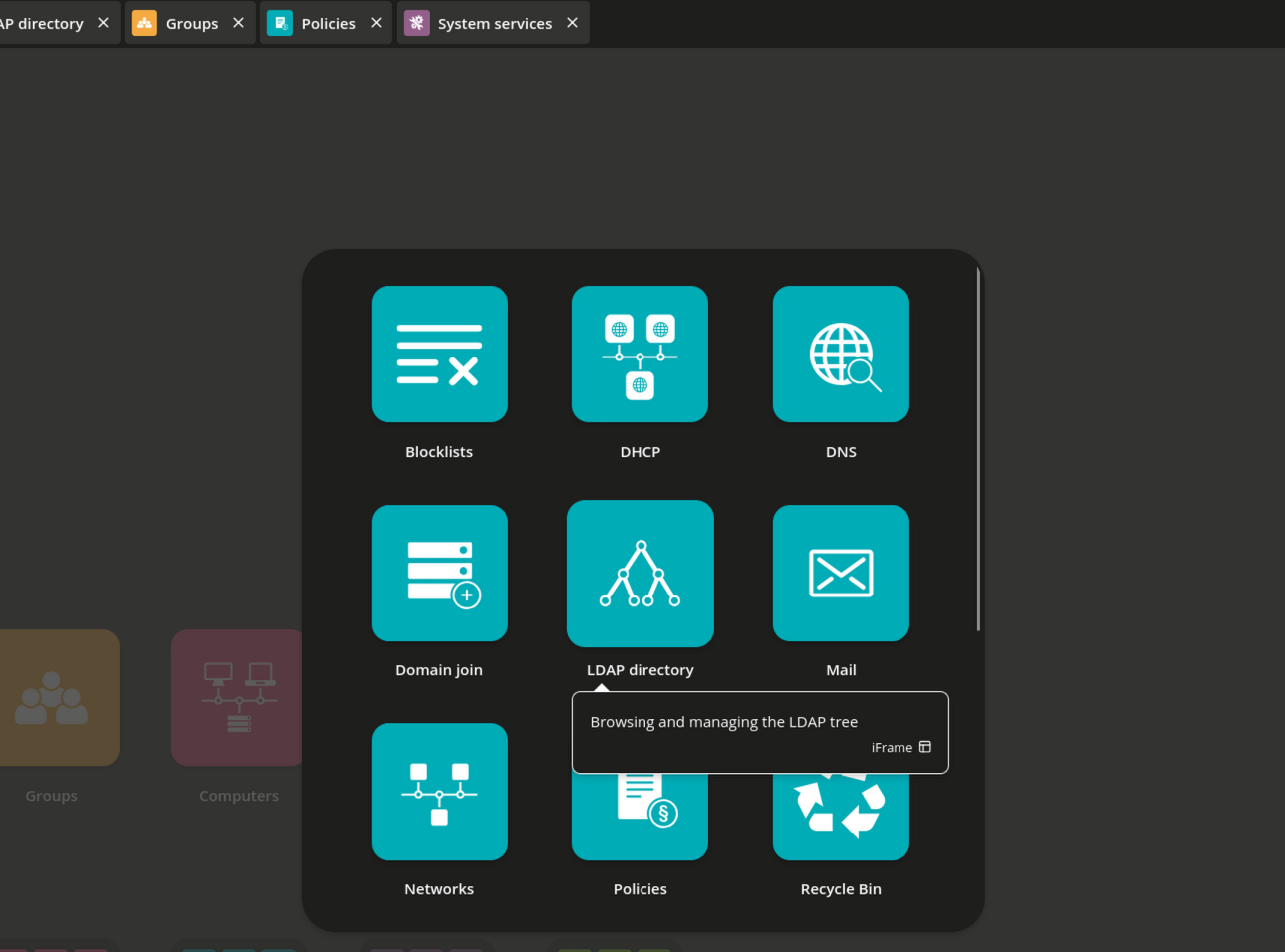
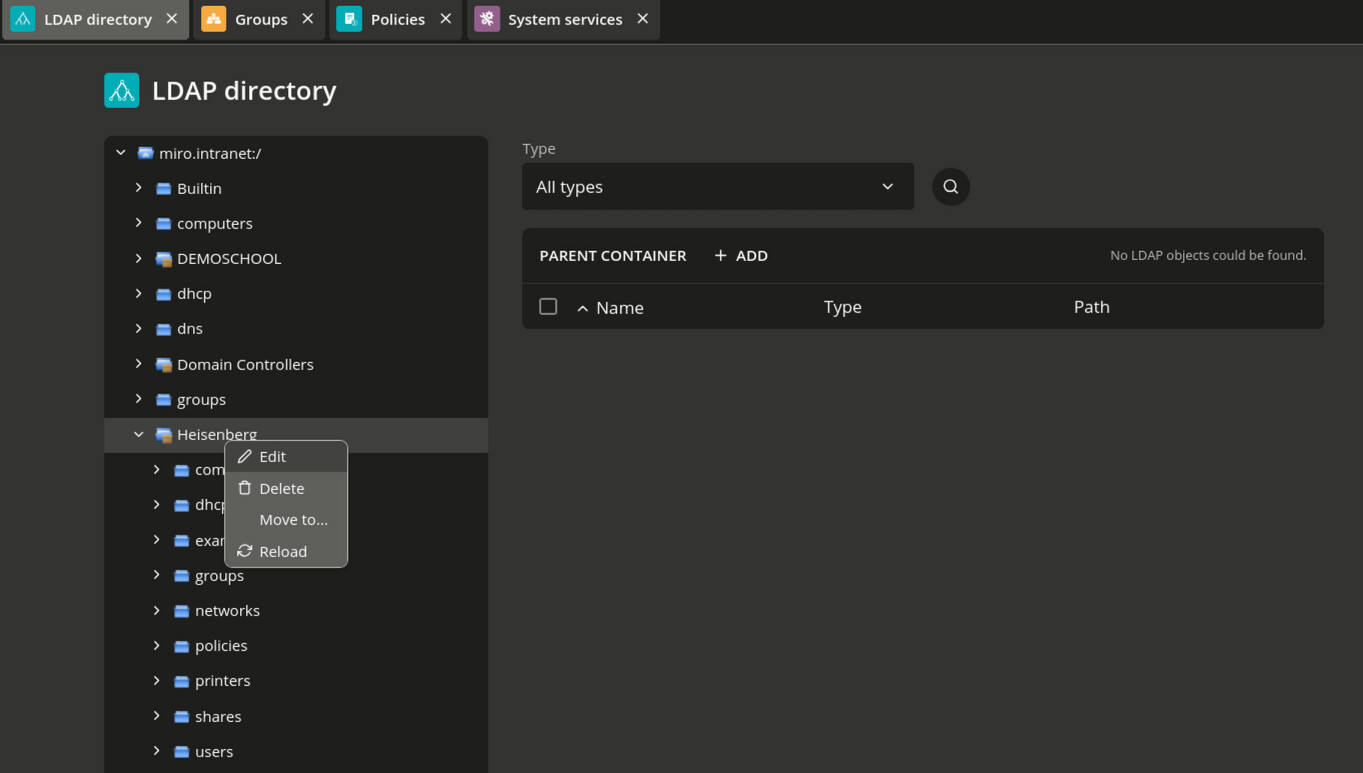
Get to the Container or Organisational Unit you want to apply the policy. Use the right click on the OU to get access to the edit menu.
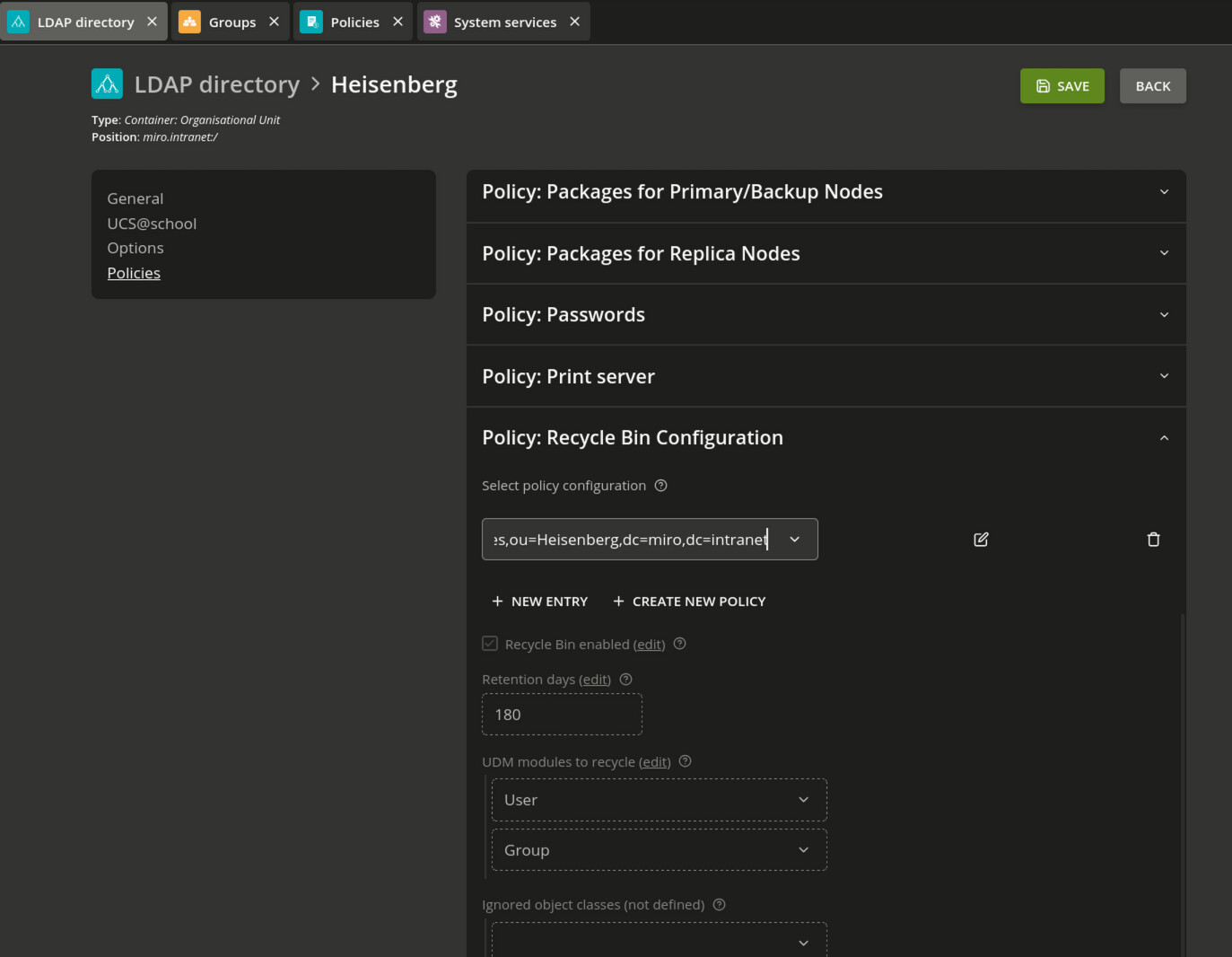
Then you have to use the tab Policies: Recycle Bin Configuration to select the created Recycle Bin policy.
The following example shows an OU where the Recycle bin policy is not yet assigned, because the univentionPolicyReference: cn=Recycle-Heisenberg,cn=policies,ou=Heisenberg,dc=miro,dc=intranet is missing.
udm container/ou list --filter ou=Heisenberg
ou=Heisenberg
DN: ou=Heisenberg,dc=miro,dc=intranet
  computerPath: 0
  description: None
  dhcpPath: 0
  displayName: Heisenberg
  dnsPath: 0
  domaincontrollerPath: 0
  gPLink: [LDAP://cn={B591301B-45FF-454C-9133-62F16E88C4B9},cn=policies,cn=system,DC=miro,DC=intranet;0][LDAP://cn={5F1DB86F-57FC-4AAC-86FB-E00029FB2BE1},cn=policies,cn=system,DC=miro,DC=intranet;0][LDAP://cn={02E4DF9B-27FC-4300-A00B-8D6EA0F5A86C},cn=policies,cn=system,DC=miro,DC=intranet;2]
  groupPath: 0
  licensePath: 0
  mailPath: 0
  name: Heisenberg
  networkPath: 0
  policyPath: 0
  printerPath: 0
  sharePath: 0
  ucsschoolClassShareFileServer: cn=heisenberg,cn=dc,cn=server,cn=computers,ou=Heisenberg,dc=miro,dc=intranet
  ucsschoolHomeShareFileServer: cn=heisenberg,cn=dc,cn=server,cn=computers,ou=Heisenberg,dc=miro,dc=intranet
  ucsschoolRole: school:school:Heisenberg
  univentionObjectIdentifier: da817526-41c9-4b95-8ace-c6dd69efa2a0
  userPath: 0
  univentionPolicyReference: cn=dhcp-dns-clear,cn=policies,ou=Heisenberg,dc=miro,dc=intranet
  univentionPolicyReference: cn=ou-default-ucr-policy,cn=policies,ou=Heisenberg,dc=miro,dc=intranet
Assigning the Recycle Bin Policy via Shell (UDM)
Important note: The created policy must be assigned to a container (
OU=,cn=) in order to take effect. This can be done either via UMC or directly throughudmin the shell.
You need the full DN of the created policy and the container/ou where the policy should apply.
OU:
udm container/ou list --filter ou=Heisenberg | grep DN:
DN: ou=Heisenberg,dc=miro,dc=intranet
Policy
udm policies/recyclebin list --filter cn=Recycle-Heisenberg | grep DN:
DN: cn=Recycle-Heisenberg,cn=policies,ou=Heisenberg,dc=miro,dc=intranet
Assign the policy with a modify from the container/ou and the parameter --policy-reference.
udm container/ou modify --dn "ou=Heisenberg,$(ucr get ldap/base)" --policy-reference "cn=Recycle-Heisenberg,cn=policies,ou=Heisenberg,$(ucr get ldap/base)"
Object modified: ou=Heisenberg,dc=miro,dc=intranet
Verify that the policy has been successfully linked to the OU.
univentionPolicyReference: cn=Recycle-Heisenberg,cn=policies,ou=Heisenberg,dc=miro,dc=intranet
root@ucs5primary:~# udm container/ou list --filter ou=Heisenberg
ou=Heisenberg
DN: ou=Heisenberg,dc=miro,dc=intranet
  computerPath: 0
  description: None
  dhcpPath: 0
  displayName: Heisenberg
  dnsPath: 0
  domaincontrollerPath: 0
  gPLink: [LDAP://cn={B591301B-45FF-454C-9133-62F16E88C4B9},cn=policies,cn=system,DC=miro,DC=intranet;0][LDAP://cn={5F1DB86F-57FC-4AAC-86FB-E00029FB2BE1},cn=policies,cn=system,DC=miro,DC=intranet;0][LDAP://cn={02E4DF9B-27FC-4300-A00B-8D6EA0F5A86C},cn=policies,cn=system,DC=miro,DC=intranet;2]
  groupPath: 0
  licensePath: 0
  mailPath: 0
  name: Heisenberg
  networkPath: 0
  policyPath: 0
  printerPath: 0
  sharePath: 0
  ucsschoolClassShareFileServer: cn=heisenberg,cn=dc,cn=server,cn=computers,ou=Heisenberg,dc=miro,dc=intranet
  ucsschoolHomeShareFileServer: cn=heisenberg,cn=dc,cn=server,cn=computers,ou=Heisenberg,dc=miro,dc=intranet
  ucsschoolRole: school:school:Heisenberg
  univentionObjectIdentifier: da817526-41c9-4b95-8ace-c6dd69efa2a0
  userPath: 0
  univentionPolicyReference: cn=dhcp-dns-clear,cn=policies,ou=Heisenberg,dc=miro,dc=intranet
  univentionPolicyReference: cn=Recycle-Heisenberg,cn=policies,ou=Heisenberg,dc=miro,dc=intranet
  univentionPolicyReference: cn=ou-default-ucr-policy,cn=policies,ou=Heisenberg,dc=miro,dc=intranet
Step 5. Listing Objects in the Recycle Bin
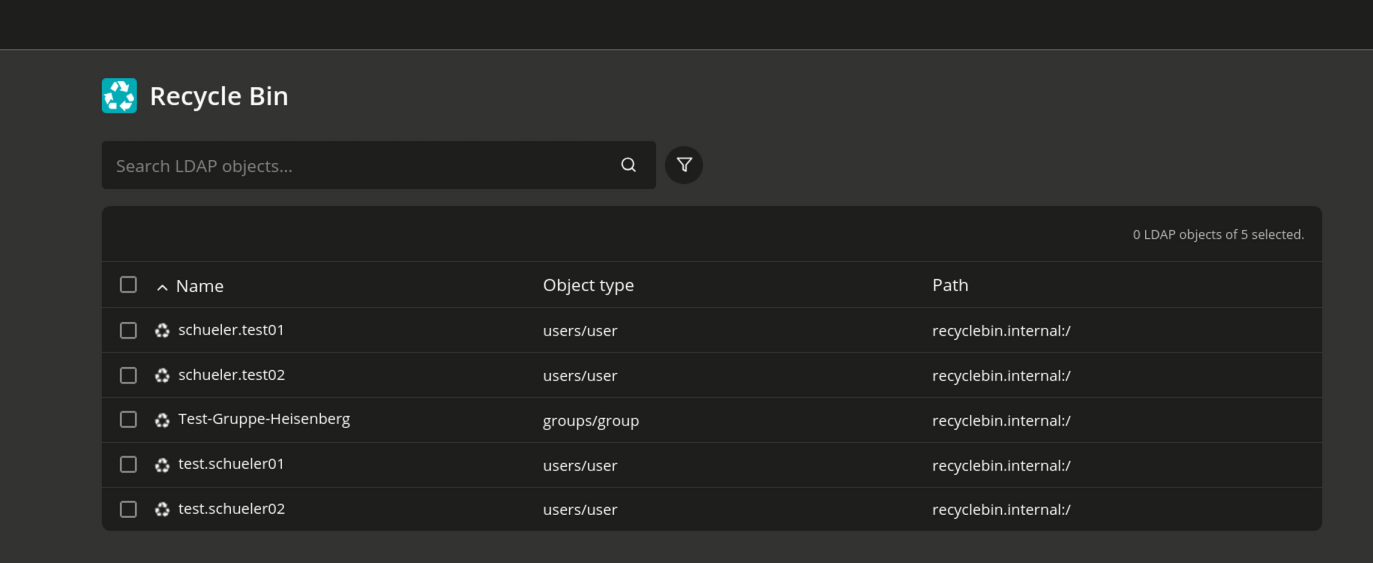
The policy should now work, and deleted users will be find under UMC/Domain/Recycle Bin
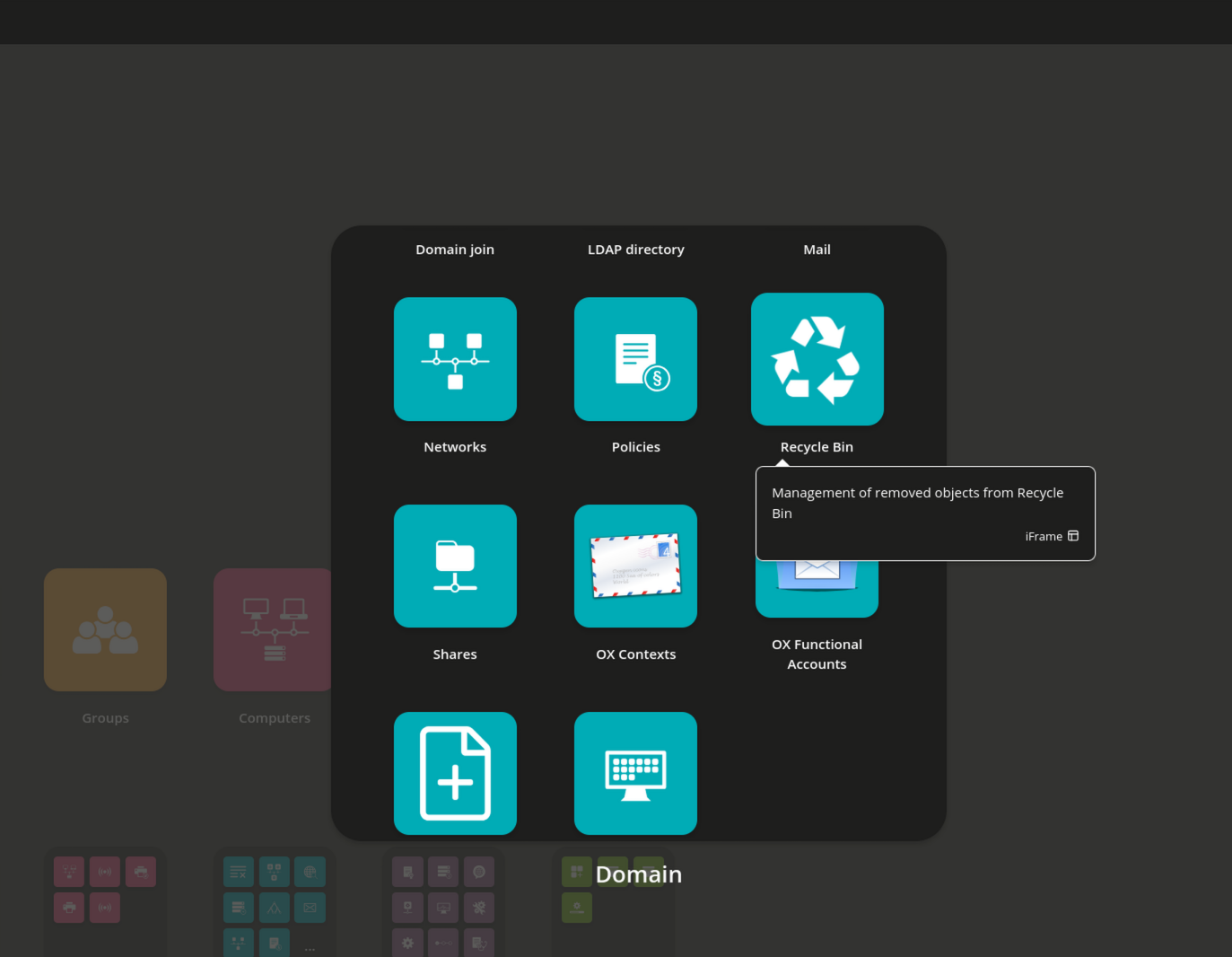
Check the log to get more info
When a user or a group is removed via UMC or directly through UDM, the object is moved to cn=recyclebin,cn=internal.
The operational flow can be traced in /var/log/univention/listener.log. Pay particular attention to the line recyclebin: Created deleted object:
2026-04-20T11:44:19.714998+02:00  PROCESS connecting to ldap://ucs5primary.miro.intranet:7389
2026-04-20T11:44:19.736523+02:00  PROCESS updating 'cn=users,ou=Heisenberg,dc=miro,dc=intranet' command m
2026-04-20T11:44:41.865248+02:00  PROCESS connecting to ldap://ucs5primary.miro.intranet:7389
2026-04-20T11:44:41.892307+02:00  PROCESS updating 'uid=schueler.test01,cn=schueler,cn=users,ou=Heisenberg,dc=miro,dc=intranet' command d
2026-04-20T11:44:41.904886+02:00  PROCESS samba4-idmap: removing entry for S-1-5-21-3450543618-4260802429-757627796-9148
2026-04-20T11:44:42.881645+02:00  PROCESS recyclebin: Created deleted object: univentionRecycleBinOriginalUniventionObjectIdentifier=28870ac4-ee4e-42ce-8962-4946a3488ef0,cn=recyclebin,cn=internal (retention: 180 days)
2026-04-20T11:44:42.891945+02:00  PROCESS ucsschool-id-connector: delete of uid=schueler.test01,cn=schueler,cn=users,ou=Heisenberg,dc=miro,dc=intranet (id: b'd21dcec4-d0e8-1040-9f0b-bd0e1599349a', file: /var/lib/univention-appcenter/listener//ucsschool-id-connector/2026-04-20-11-44-42-891442.json)
2026-04-20T11:44:42.896637+02:00  PROCESS updating 'cn=Domain Users Heisenberg,cn=groups,ou=Heisenberg,dc=miro,dc=intranet' command m
2026-04-20T11:44:42.906700+02:00  PROCESS ucsschool-id-connector: modify of cn=Domain Users Heisenberg,cn=groups,ou=Heisenberg,dc=miro,dc=intranet (id: b'dd325268-1d87-1040-9ba7-f95e5b360cf7', file: /var/lib/univention-appcenter/listener//ucsschool-id-connector/2026-04-20-11-44-42-906295.json)
2026-04-20T11:44:42.912431+02:00  PROCESS updating 'cn=Heisenberg-1A,cn=klassen,cn=schueler,cn=groups,ou=Heisenberg,dc=miro,dc=intranet' command m
2026-04-20T11:44:42.921056+02:00  PROCESS ucsschool-id-connector: modify of cn=Heisenberg-1A,cn=klassen,cn=schueler,cn=groups,ou=Heisenberg,dc=miro,dc=intranet (id: b'15a25e90-496b-1040-868d-9d88985604c9', file: /var/lib/univention-appcenter/listener//ucsschool-id-connector/2026-04-20-11-44-42-920515.json)
2026-04-20T11:44:42.926685+02:00  PROCESS updating 'cn=Heisenberg-1A,cn=klassen,cn=schueler,cn=groups,ou=Heisenberg,dc=miro,dc=intranet' command m
2026-04-20T11:44:42.932678+02:00  PROCESS updating 'cn=schueler-heisenberg,cn=groups,ou=Heisenberg,dc=miro,dc=intranet' command m
2026-04-20T11:44:42.943178+02:00  PROCESS recyclebin: Added group reference to deleted object: univentionRecycleBinOriginalUniventionObjectIdentifier=28870ac4-ee4e-42ce-8962-4946a3488ef0,cn=recyclebin,cn=internal
2026-04-20T11:44:42.945795+02:00  PROCESS ucsschool-id-connector: modify of cn=schueler-heisenberg,cn=groups,ou=Heisenberg,dc=miro,dc=intranet (id: b'dd02e78a-1d87-1040-9b89-f95e5b360cf7', file: /var/lib/univention-appcenter/listener//ucsschool-id-connector/2026-04-20-11-44-42-945340.json)
2026-04-20T11:44:42.950834+02:00  PROCESS updating 'cn=schueler-Heisenberg,cn=groups,ou=Heisenberg,dc=miro,dc=intranet' command m
Deleted objects inside the Recycle Bin can be listed via UDM as follows:
udm recyclebin/removedobject list --filter univentionRecycleBinOriginalUniventionObjectIdentifier=28870ac4-ee4e-42ce-8962-4946a3488ef0
DN: univentionRecycleBinOriginalUniventionObjectIdentifier=28870ac4-ee4e-42ce-8962-4946a3488ef0,cn=recyclebin,cn=internal
  accountActivationDate: None
  birthday: None
  city: None
  country: None
  departmentNumber: Heisenberg
  description: None
  disabled: 0
  displayName: schueler01 test
  employeeNumber: None
  employeeType: None
  firstname: schueler01
  gecos: schueler01 test
  gidNumber: 5102
  groups: cn=Domain Users Heisenberg,cn=groups,ou=Heisenberg,dc=miro,dc=intranet
  groups: cn=Heisenberg-1A,cn=klassen,cn=schueler,cn=groups,ou=Heisenberg,dc=miro,dc=intranet
  groups: cn=schueler-heisenberg,cn=groups,ou=Heisenberg,dc=miro,dc=intranet
  homeShare: None
  homeSharePath: None
  homedrive: I:
  initials: None
  jpegPhoto: None
  lastname: test
  locked: 0
  lockedTime: 0
  mailForwardCopyToSelf: 0
  mailHomeServer: None
  mailPrimaryAddress: None
  organisation: None
  originalDN: uid=schueler.test01,cn=schueler,cn=users,ou=Heisenberg,dc=miro,dc=intranet
  originalEntryUUID: d21dcec4-d0e8-1040-9f0b-bd0e1599349a
  originalName: schueler.test01
  originalObjectClasses: ucsschoolType
  originalObjectClasses: person
  originalObjectClasses: inetOrgPerson
  originalObjectClasses: univentionObject
  originalObjectClasses: organizationalPerson
  originalObjectClasses: ucsschoolStudent
  originalObjectClasses: top
  originalObjectClasses: automount
  originalObjectClasses: krb5KDCEntry
  originalObjectClasses: krb5Principal
  originalObjectClasses: posixAccount
  originalObjectClasses: shadowAccount
  originalObjectClasses: sambaSamAccount
  originalObjectClasses: univentionPWHistory
  originalObjectClasses: univentionMail
  originalObjectType: users/user
  originalUniventionObjectIdentifier: 28870ac4-ee4e-42ce-8962-4946a3488ef0
  overridePWHistory: None
  overridePWLength: None
  password: {crypt}$6$xyiTMwvptB4PtXvO$t9V9ADodQUfa0RpPWixv7MnsYWBTw.CVIAWndT283cZbMPiiVa1i43Pxldt9zrdhvLeiyZ1ebklpOEQJjbc7R/
  passwordexpiry: None
  physicalDeliveryOfficeName: None
  postcode: None
  preferredDeliveryMethod: None
  preferredLanguage: None
  primaryGroup: cn=Domain Users Heisenberg,cn=groups,ou=Heisenberg,dc=miro,dc=intranet
  profilepath: %LOGONSERVER%\%USERNAME%\windows-profiles\default
  purgeAt: 20261017094441Z
  pwdChangeNextLogin: 0
  referencedBy: dn groups/group users uuid 7209da18-d725-49f7-a7f8-64537f7d18ac
  referencedBy: dn groups/group users uuid 0c0f9050-a3a6-4249-9e66-c15dbe14b8bd
  referencedBy: dn groups/group users uuid d81f891f-b643-4f90-acbc-cd27ad13c0fb
  removalDate: 20260420094441Z
  sambaLogonHours: None
  sambaRID: 9148
  sambahome: \\heisenberg\schueler.test01
  scriptpath: ucs-school-logon.vbs
  shell: /bin/bash
  state: None
  street: None
  title: None
  uidNumber: 4074
  univentionObjectIdentifier: 28870ac4-ee4e-42ce-8962-4946a3488ef0
  univentionSourceIAM: None
  unixhome: /home/Heisenberg/schueler/schueler.test01
  unlock: None
  unlockTime: None
  userexpiry: None
  username: schueler.test01
Recommendation
If you need to restore an object, it is recommended to do that just via UMC . If necessary, to perform a password reset, in case the previously created user is unable to log in.
Further Reading
Further information about the Recycle Bin can be found here:
https://docs.software-univention.de/manual/5.2/en/user-management/udm-recycle-bin.html#recycle-bin
Additional:
Removing the Policy from a Container
If the policy should be removed from the OU or container, the --policy-dereference parameter can be used. The command looks as follows:
root@ucs5primary:~# udm container/ou modify --dn ou=Heisenberg,dc=miro,dc=intranet --policy-dereference cn=Recycle-Heisenberg,cn=policies,ou=Heisenberg,dc=miro,dc=intranet
Object modified: ou=Heisenberg,dc=miro,dc=intranet