We currently recommend using the default settings for brute-force detection. The configuration can be applied as follows:
- Log in to the Keycloak Admin Console.
- Navigate to the realm where you want to enable brute-force protection, usually ucs.
- Go to Realm Settings → Security Defenses → Brute Force Detection.
- Select Temporary lockout from the list and click Save.
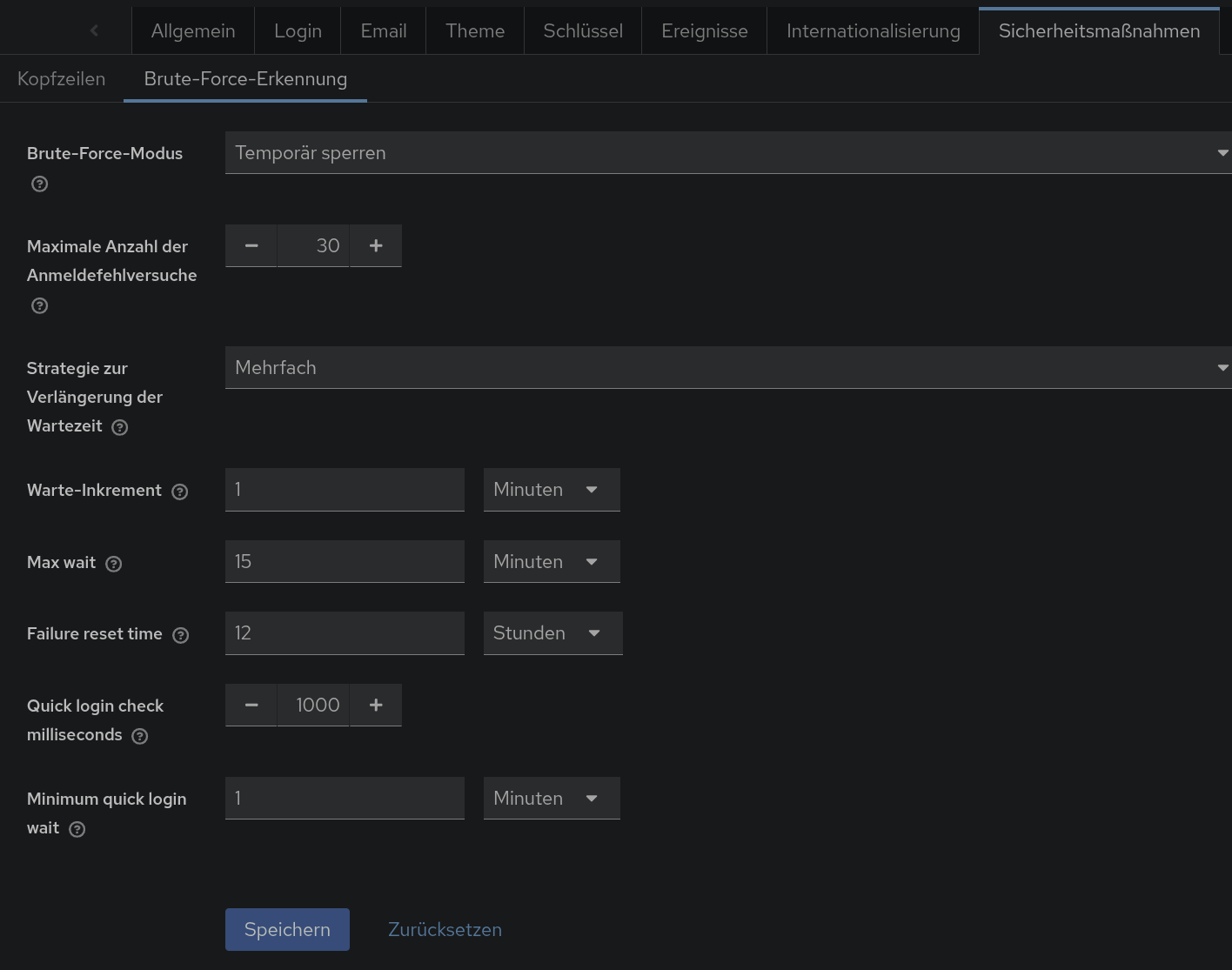
By using the default settings, Keycloak provides basic protection against brute-force login attempts without additional manual tuning. You can customize these values later based on your security requirements.
In our tests, users do not receive a notification that their account has been temporarily locked. This applies to both our UCS login theme and the default Keycloak v2 login theme. Keep this in mind when enabling brute-force detection. Other than this, there are no known objections to activating this feature.