TBC
Since Keycloak 26.7.0 SSF (shared signals framework) support is available.

Configuration:
~# cat > /var/lib/univention-appcenter/apps/keycloak/custom.settings << EOF
[kc/features]
Type = String
Show = Install, Settings
Scope = inside
Description = enable a feature

[kc/features-disabled]
Type = String
Show = Install, Settings
Scope = inside
Description = disable a feature
EOF

univention-app configure keycloak --list| grep features
univention-app configure keycloak --set kc/features=ssf
univention-app shell keycloak
root@94b1be63a29c:/# /opt/keycloak/bin/kc.sh show-config start |grep feature
kc.feature =  ssf (ENV)
Note If you have more than one keycloak installation, make sure to enable it on all app installations
For nubus4k8s you have just to configure it in your custom_values.yaml
keycloak:
  keycloak:
    features:
      enabled:
        - admin-fine-grained-authz
        - token-exchange
        - ssf
helm upgrade --install "nubus" oci://artifacts.software-univention.de/nubus/charts/nubus --version "1.21.0" --values custom_values.yaml --namespace $NS
Note You allways have to relogin to make the changes visible
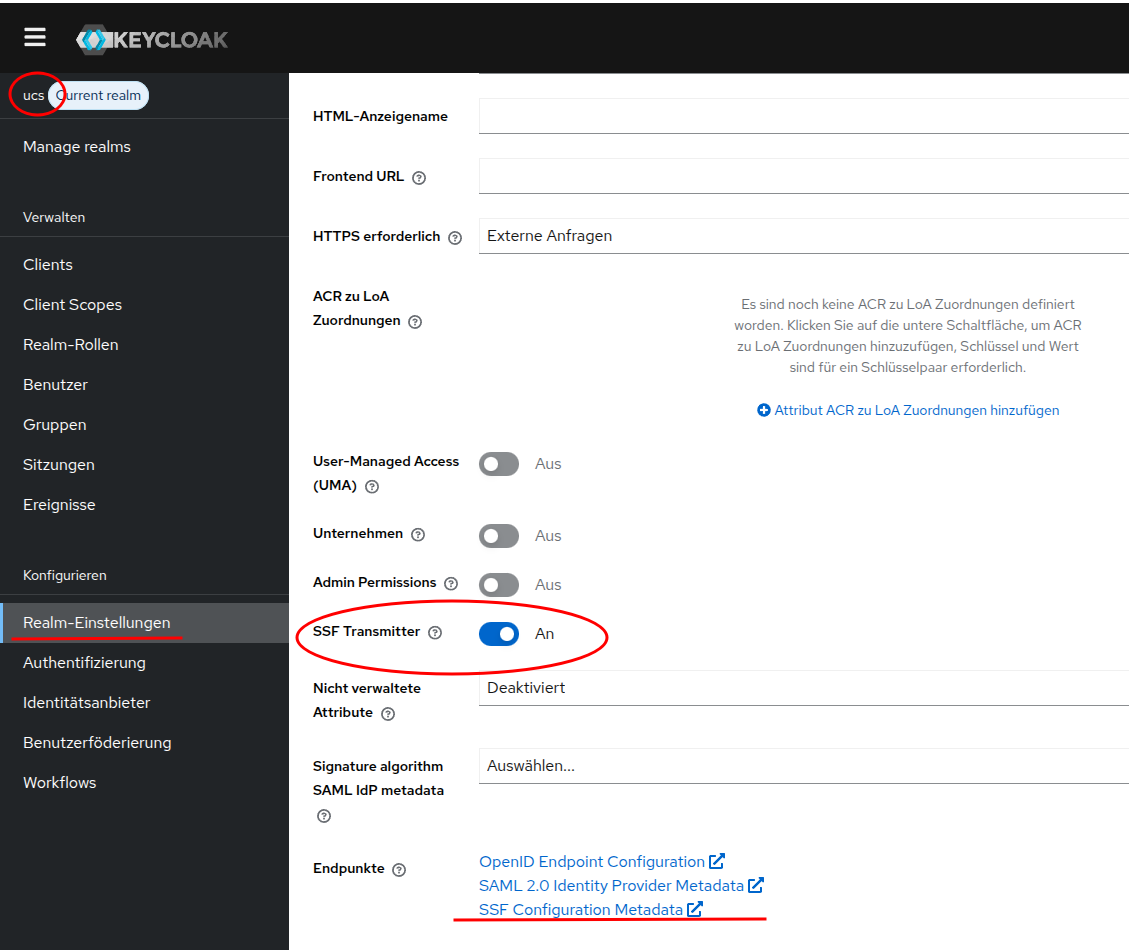
Enable settings in admin console
Disable the feature with:
In Admin Console:
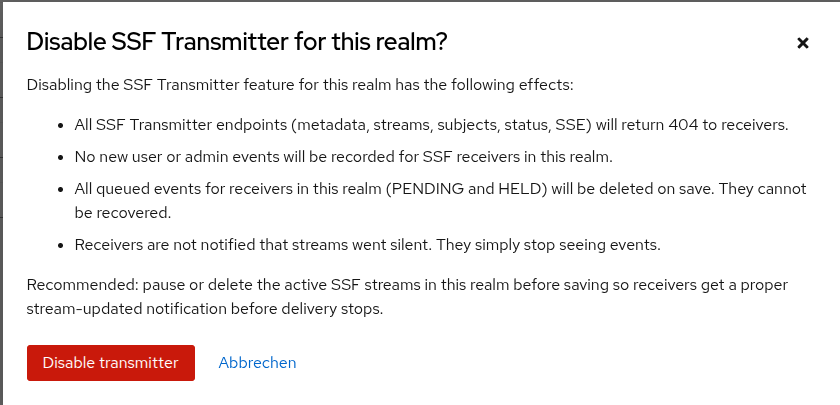
Or complete
univention-app configure keycloak --set kc/features-disabled=ssf --unset kc/features
Enabling again will need
univention-app configure keycloak --unset kc/features-disabled=ssf --set kc/features